
Ubuntu Server for businesses: installation, safe upgrades to new LTS versions, Netplan, UFW and troubleshooting. Linux Service helps you across Sweden.
Why many businesses choose Ubuntu Server
Ubuntu Server is one of the most common distributions in the cloud and in data centres. It is based on Debian, but it has its own rhythm with an LTS version every other year. Each LTS version receives five years of standard maintenance, and in addition you can extend the support with Ubuntu Pro. Therefore, it suits web servers, databases and internal tools well. The package selection is large, and most cloud providers offer ready-made images. At the same time, the documentation is extensive, which makes analysis and troubleshooting easier.
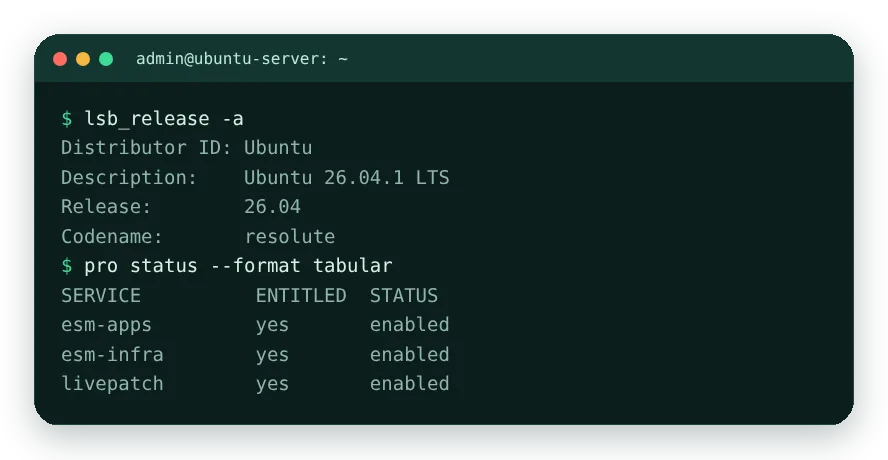
Canonical released Ubuntu 26.04 LTS in April 2026, and the version is supported until April 2031. When we take over an environment, we always start by checking which version is running and how long it has left. A server without security updates is a risk, even if it works today. Therefore, we go through packages, services and customisations before we propose a plan. In short, you get a clear picture of the situation before we change anything.
Installation and basic configuration
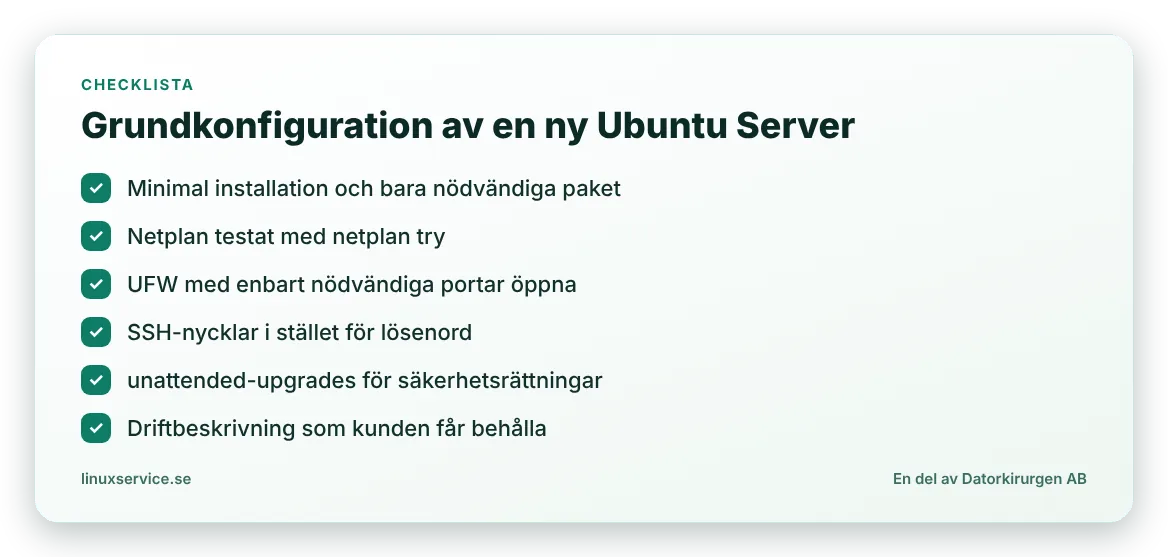
For a new installation, we limit the system to the components that are required. In practice, this means a minimal installation, and after that we only add the packages that the business needs. Then we configure the network with Netplan, which uses YAML files under /etc/netplan. A common mistake is wrong indentation in the file, and then the network does not start as intended. Therefore, we always test with netplan try, since the command rolls back the change if the connection drops.
We set up the firewall with UFW. First, we allow SSH, and then we only open the ports that the service needs. Sign-in uses keys instead of passwords. In addition, we activate automatic security updates with the unattended-upgrades package. In this way, the server receives important fixes even between our planned maintenance windows. Finally, we document everything in a short operations description that you keep.
Safe upgrades to a new LTS version
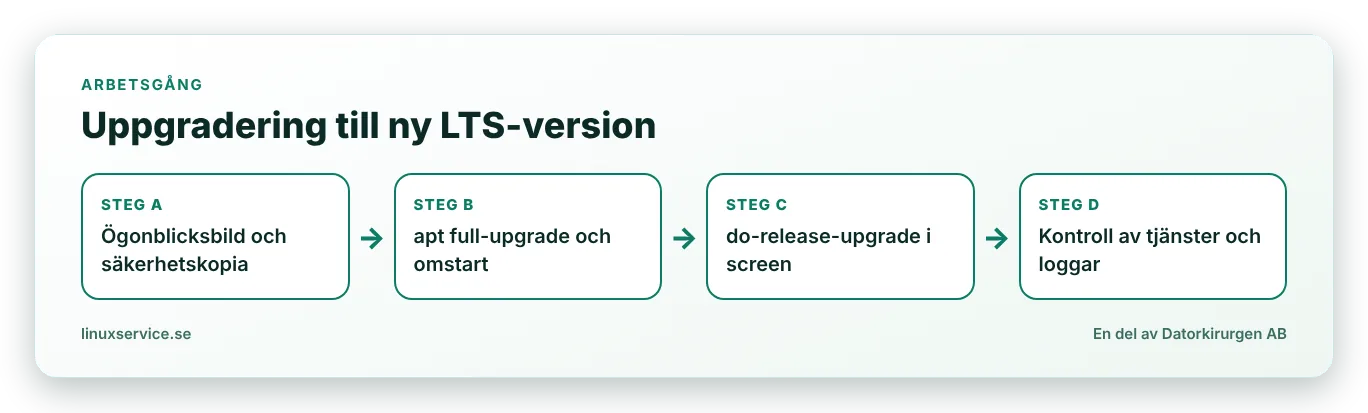
Upgrading a server is not something you do on a Friday afternoon. First, we take a snapshot or a full backup. After that, we update all packages in the current version and restart the server. Then we run do-release-upgrade, preferably in a screen session, so that the upgrade continues even if the connection drops. Note that older versions such as 22.04 must first go to 24.04 before they can move on to 26.04.
During the upgrade, the system asks whether we want to keep modified configuration files. We never answer at random; instead, we first compare the differences. In addition, Ubuntu 26.04 requires cgroup v2, which can affect older containers. When the upgrade is finished, we check services, logs and websites. If something deviates, we roll back to the snapshot, but that is rarely needed when the groundwork has been done properly.
Common problems we solve
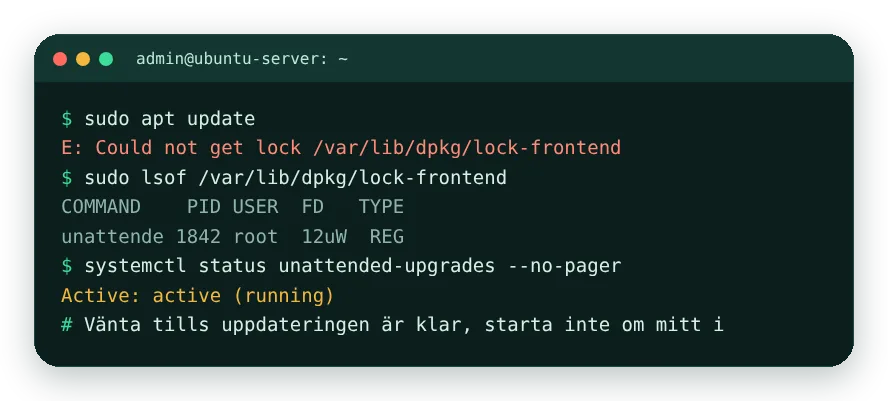
Many cases concern packages that have locked up. For example, an interrupted apt command can leave a lock file behind, and then the package manager refuses to work. We find out which process holds the lock before anything is removed. Other common faults are a full disk due to old kernels, snap packages that take up space or logs that grow. In addition, we often see services that start in the wrong order after a restart.
We troubleshoot with journalctl, systemctl status and apt policy. In this way, we see both what happened and why. When the cause is clear, we fix the fault and add protection against the same thing happening again. It may be a limit on log size, an automatic clean-up or monitoring that raises an alert in time. If you want to read more about logs and disk space, we have an article on disk space, journald and swap.
Contact Linux Service about Ubuntu Server
Linux Service is part of Datorkirurgen AB and has worked with Linux for more than 30 years. We install, upgrade and operate Ubuntu for businesses across Sweden, both on your own servers and in the cloud. In addition, we help with Apache, PHP, Python and databases on the same server. Official documentation is available in the Ubuntu Server documentation, but you do not need to read it yourselves.
Therefore, contact us before the support period ends, and we will plan the upgrade together. We also take urgent cases when a server has stopped responding. We work remotely or on site in Stockholm, and you always receive a short report afterwards. Feel free to also read about Debian servers, which Ubuntu is based on.
Frequently asked questions about Ubuntu Server
Questions about Ubuntu Server
- What is the difference between the server and desktop versions?
- How long does an LTS version receive security updates?
- What is included in Ubuntu Pro?
- How do I see which version the server runs?
- When should we upgrade to a new LTS version?
- Can Ubuntu Server run without a graphical interface?
- Which cloud services offer ready-made Ubuntu images?
- Is Ubuntu free for businesses?
- How do you activate automatic security updates?
- What is the difference between apt upgrade and full-upgrade?
Ubuntu Server: network, firewall and upgrades
- How do you configure the network with Netplan?
- Why does the network not start after a change in Netplan?
- How do you open a port in UFW?
- How do you switch off password sign-in in SSH?
- What does do-release-upgrade do?
- Can you skip an LTS version when upgrading?
- What happens to modified configuration files during an upgrade?
- Why do new versions require cgroup v2?
- How do you take a snapshot before the upgrade?
- How do you roll back if the upgrade fails?
More about troubleshooting and support
- Why does apt say that the lock file is in use?
- How do you remove old kernels safely?
- Why do the snap packages take up so much space?
- How do you read logs with journalctl?
- What do you do when a service does not start after a restart?
- Can you also take over the operation of our Ubuntu server?
- How quickly can you help when the server has stopped responding?
- Do you work remotely or on site?
- What does an upgrade cost with you?
- How do I contact you about Ubuntu Server?