
Kernel panic after an update? How we rescued a Linux server on AWS with a rescue instance, chroot and dracut, and how you avoid the same fault.
The server that did not come back
It started as a normal update of a web server running Amazon Linux 2023 on AWS. The update went through without error messages, and then we restarted the server. But it never came back. SSH did not respond, and the websites were down. In the AWS console, the system log showed a kernel panic, that is, a state where the Linux kernel stops because it cannot continue.
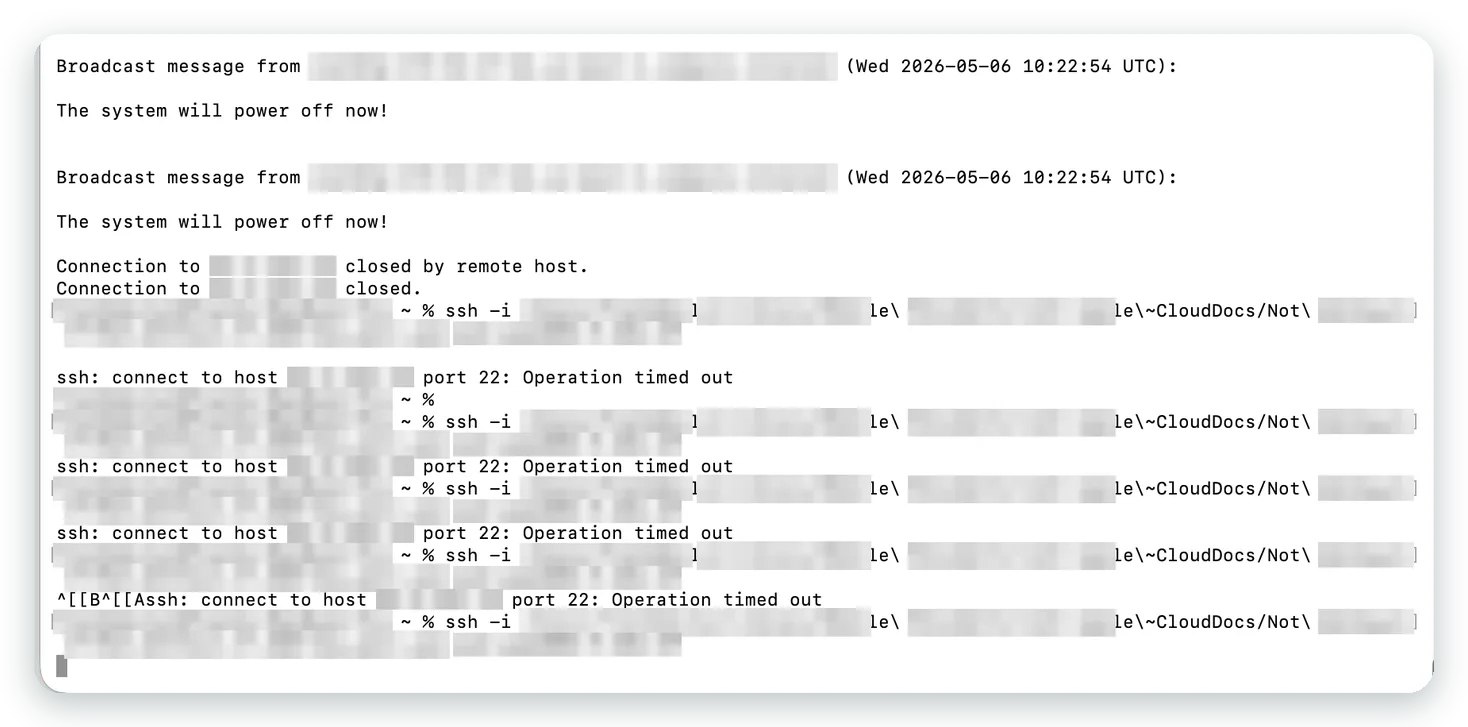
The screenshots in the article come from that rescue. The first one shows how SSH lost the connection when the server shut down, and then how all new attempts timed out. For the owner of the server, it is an unpleasant situation. Everything seems gone, even though the data in fact remains untouched on the disk. In other words, it is important to work calmly and methodically.
The cause: a kernel without initramfs
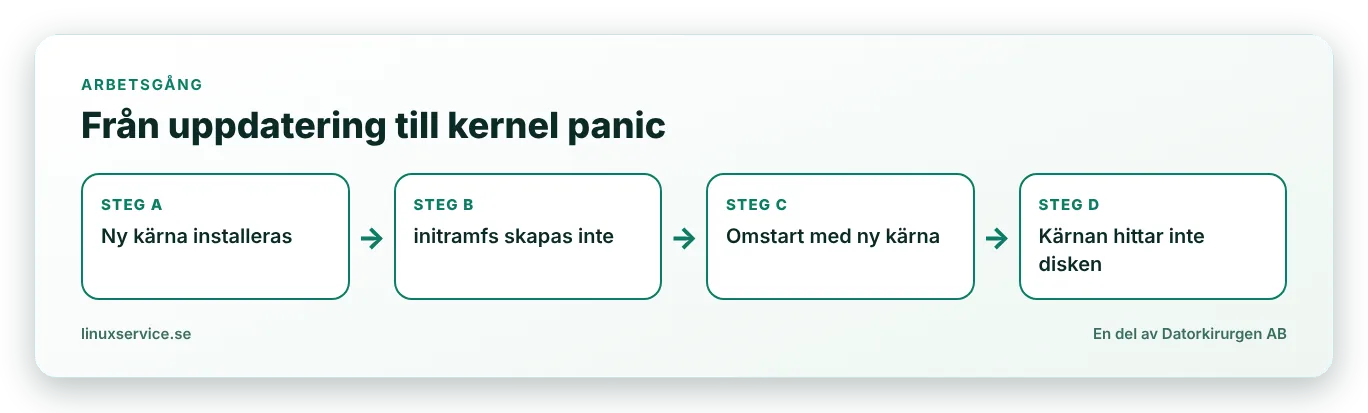
In a kernel panic, the first step is to read the system log in the AWS console. It said that the kernel could not mount the root file system. This therefore often indicates that the initramfs file is missing or broken. That file contains the drivers the kernel needs to find the disk. Without it, the kernel does not know where the operating system is, and therefore it stops.
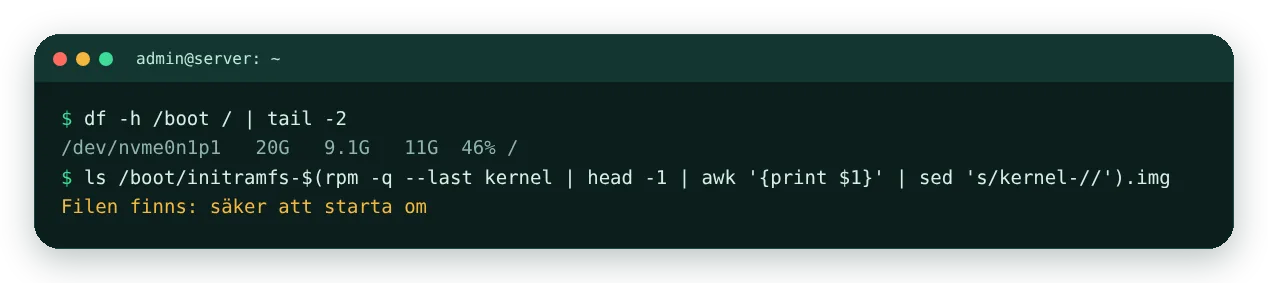
The update had installed a new kernel, but generating the initramfs had failed without anyone noticing. This can happen if the disk is almost full, if the memory runs out during the installation or if something interrupts the process. In our case, moreover, the server was short of space in /boot. A limited fault, but with serious consequences.
The rescue: a temporary instance and chroot
First, we stopped the broken server and detached its disk. After that, we started a temporary rescue instance in the same zone and attached the disk to it as an extra volume. In this way, we could reach all the files from a working system. We mounted the disk under /mnt/rescue, and in addition we mounted the system directories /dev, /proc and /sys there.
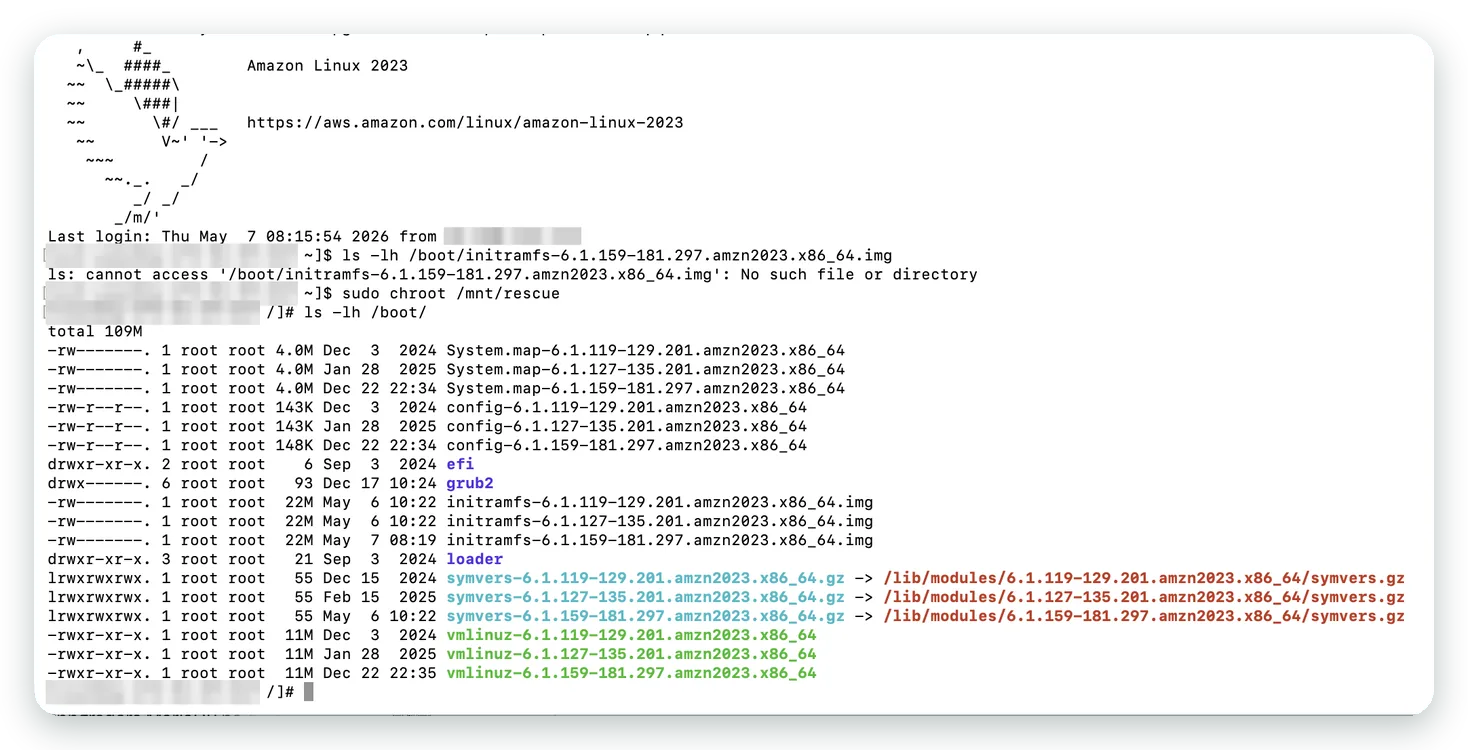
With chroot, we then entered the old installation as if it were running. The listing of /boot confirmed the suspicion: the initramfs for the newest kernel was completely gone. We ran dracut --force for the right kernel version, and after that the file was in place. We also checked that the boot setting pointed to a kernel with a working initramfs.
Back in operation
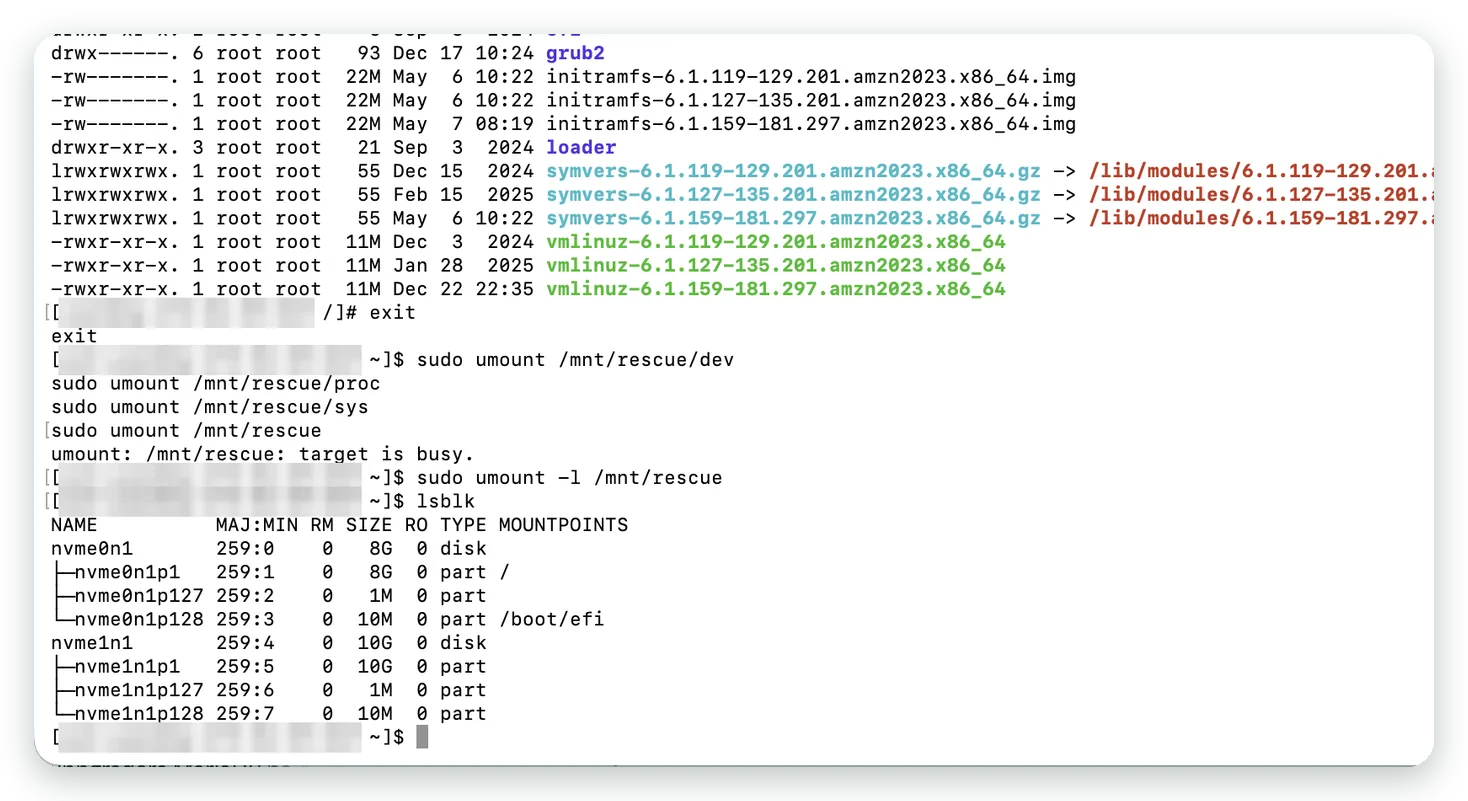
When the file was in place, we left chroot and unmounted everything in the right order. Sometimes a volume refuses to unmount because something is still using it, and then a lazy unmount helps. The list of block devices then showed that the rescued disk was free to move. Finally, we attached it back to the original server and started it.
This time, the server came up immediately, and all the websites responded. Altogether, the whole rescue took about an hour. After that, we went through the cause and introduced measures: more disk space, swap, cleaning up old kernels and a fixed check of initramfs before every restart. More about that routine in the article on updating Amazon Linux 2023.
How to avoid the same fault
The most important thing is to check the kernel before a restart. List the kernels, check that initramfs exists for the newest one and see which kernel is selected. In addition, there should be plenty of space on the disk and in /boot before the update starts. Always take a snapshot of the disk first, since it gives a quick way back.
In the cloud, moreover, it is a good idea to practise the rescue routine in advance. If you know how to detach a disk and use chroot, a real crisis becomes considerably less stressful. We are happy to help with an exercise on a test server. See also disk space, journald and swap, which often lie behind this type of fault.
Contact Linux Service in the event of a kernel panic
Linux Service is part of Datorkirurgen AB and has restored servers for more than 30 years, both in data centres and in the cloud. We provide emergency help with kernel panic, broken updates and servers that do not start. AWS describes the rescue instance method in its documentation for EC2.
Therefore, contact us directly if your server has stopped responding. Do not touch the disk, and do not restart more times than necessary. We take over remotely, rescue data and services and then tell you what happened. Moreover, you receive suggestions on how to avoid the same thing.
Frequently asked questions about kernel panic
Questions about kernel panic
- What does kernel panic mean?
- Is data lost in a kernel panic?
- Where do you see the error message in AWS?
- What is initramfs?
- Why did initramfs disappear after the update?
- Can a full disk cause the fault?
- Can the same thing happen in Azure and Google Cloud?
- What should you do immediately when the server does not start?
- Should you restart several times?
- How long does a rescue take?
Kernel panic: rescue with chroot
- What is a rescue instance?
- How do you detach a disk in AWS?
- Why should the rescue instance be in the same zone?
- What does chroot do?
- Why do you mount /dev, /proc and /sys?
- What does dracut –force do?
- How do you choose which kernel should start?
- What is a lazy unmount?
- What does lsblk show?
- How do you attach the disk back?
More about prevention and getting help
- How do you check initramfs before a restart?
- How much space does /boot require?
- Why should you take a snapshot before an update?
- Can we practise the rescue on a test server?
- Can you help around the clock?
- Do you work remotely?
- Do you also rescue physical servers?
- What does an emergency rescue cost?
- Do we get a report afterwards?
- How do I contact you in a crisis?