
PHP on Linux for businesses: PHP-FPM, version upgrades, performance and troubleshooting of web applications and WordPress. We help you across Sweden.
PHP runs a large part of the web
WordPress, Drupal, Laravel and many online shops are built on PHP. Therefore, PHP on Linux is one of the most common combinations on web servers. The language itself has a low entry threshold, but operation requires experience. It is about the right version, the right extensions and the right settings for memory and processes. When something is wrong, it often shows as a slow or broken website.
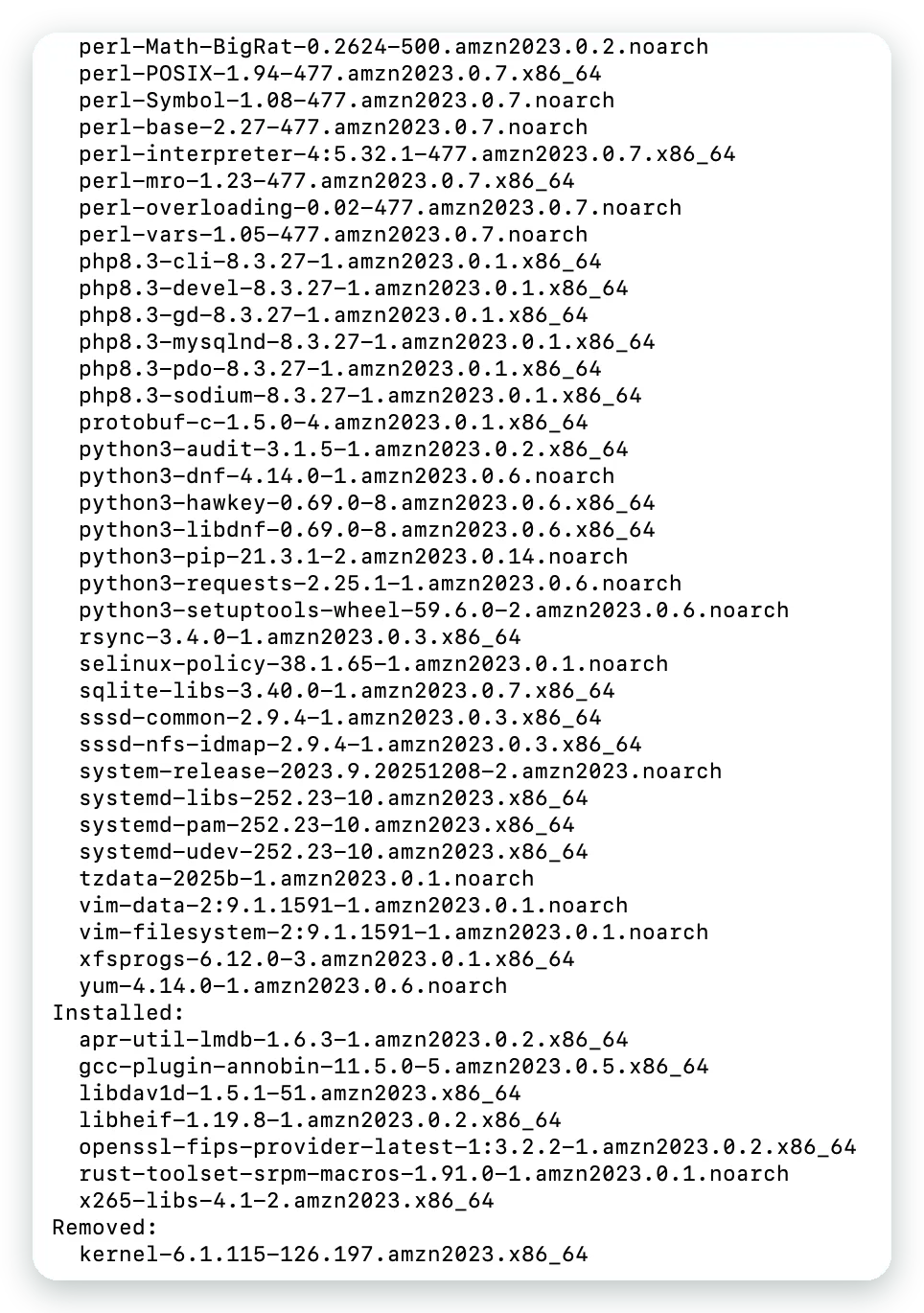
We run PHP on our own servers with Apache and PHP-FPM, and we do the same for clients. The screenshots in the article come from our own updates. Among other things, they show which PHP packages a typical WordPress server needs. In addition, we help with Nginx, since many modern environments use it instead of Apache.
PHP-FPM: the right number of processes
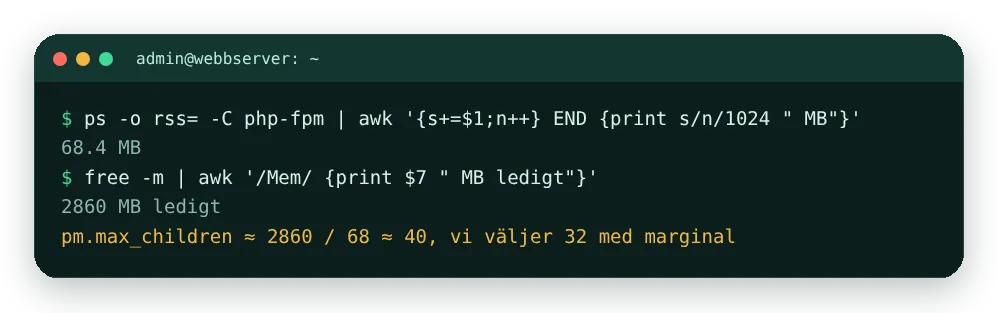
PHP-FPM is the part that actually runs the PHP code. It starts a number of worker processes, and each process handles one request at a time. If there are too few processes, visitors have to wait. If there are too many, the memory runs out, and then the whole server can become slow. In other words, the right value for pm.max_children depends on how much memory each process uses.
First, we measure how large a process becomes on average. Then we calculate how many fit in the memory, with a margin for the database and the system. In addition, we choose between the dynamic and ondemand modes depending on the traffic. For sites with even traffic, dynamic is the right choice, whereas ondemand saves memory on servers with many small sites.
Version upgrades without interruption
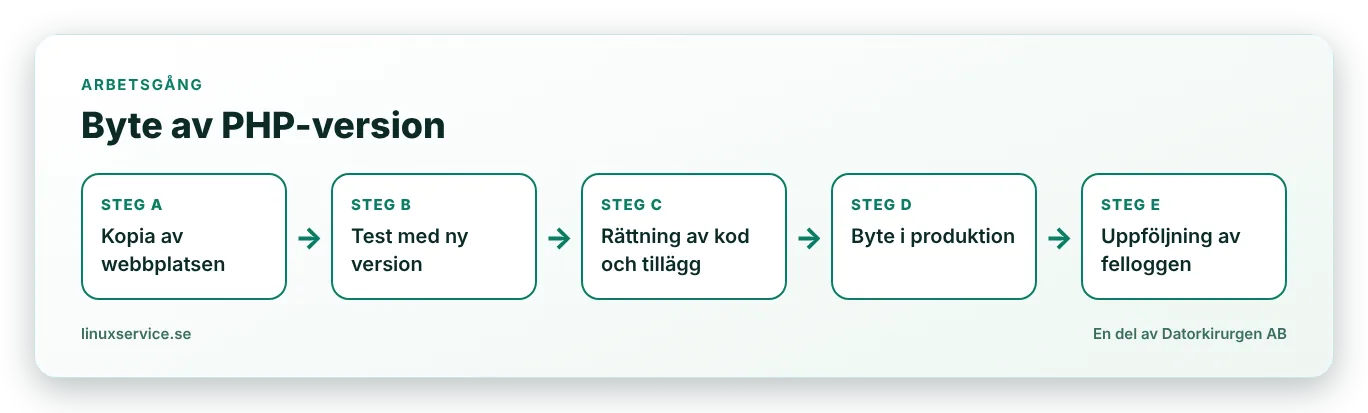
Each PHP version receives security updates for a limited time. Therefore, every website needs to change version at regular intervals. However, the change can cause errors if the code uses functions that have been removed. For that reason, we always test the website with the new version before we switch in production. Often we do it on a copy of the site, and then the visitors are not affected.
We also check that all extensions exist in the new version, for example for images, databases and encryption. When everything works, we switch version and follow the error log closely for the first few days. If an error appears, we fix the code or update the plugin that causes the problem. See also how we use WP-CLI to update WordPress on the same servers.
Troubleshooting common PHP errors
The most common error we see is a white page or an internal server error. The cause is almost always in the error log, but many people do not know where it is. Therefore, we start by finding the right log for the right site. After that, we read the error message and trace it to the right file and line. Often it is about the memory limit, a missing module or a plugin that cannot handle the new version.
Another common problem concerns file uploads. The limits in php.ini control how large files may be uploaded and how long a script may run. We adjust them as needed, but we never raise the limits more than necessary, because values that are too high can make the server vulnerable to overload. More about performance in the article on OPcache and Apache cache.

Security for PHP applications
PHP applications are a common target for attackers, especially WordPress with old plugins. Therefore, we update PHP, the application and all plugins regularly. In addition, we switch off functions that are not needed and restrict which directories PHP may read. Uploaded files must never run as PHP code. The rule is basic, but it stops a large share of the attacks.
We also protect administration pages with IP restrictions or two-step sign-in. We never show error messages to visitors, since they can reveal paths and versions. Instead, they go to the log. In short, we make the PHP environment as boring as possible for an attacker.
Contact Linux Service about PHP on Linux
Linux Service is part of Datorkirurgen AB and has run web servers with PHP on Linux for many years. We optimise PHP-FPM, change versions and troubleshoot web applications for businesses across Sweden. Official information is available at php.net, where the support periods are also listed.
Therefore, contact us when your website has become slow or shows errors. We carry out a quick review and propose actions. We work remotely, and you always receive a short summary. Moreover, we can take over the ongoing operation of the server.
Frequently asked questions about PHP on Linux
Questions about PHP on Linux
- Which PHP version should we use?
- How long does a PHP version receive security updates?
- What is PHP-FPM?
- What is the difference between Apache and Nginx for PHP?
- Which extensions does WordPress need?
- Can several PHP versions exist on the same server?
- Where is php.ini?
- How do you see which version is running?
- Is PHP suitable for large online shops?
- Can you help with Laravel?
PHP on Linux: performance and version upgrades
- What does pm.max_children mean?
- How do you calculate the right number of processes?
- When should you choose ondemand?
- Why does the server run out of memory?
- How do you test a new PHP version safely?
- What happens if the code cannot handle the new version?
- How long should you follow the error log after a change?
- What does OPcache do?
- How do you raise the memory limit?
- How do you increase the upload limit?
More about troubleshooting and security
- Why does the site show a white page?
- Where do you find the error log?
- Why should error messages not be shown to visitors?
- How do you stop uploaded files from running as code?
- Can you protect the administration page?
- Do you update WordPress and plugins for us?
- Do you work remotely?
- How quickly can you help with urgent faults?
- What does your help cost?
- How do I contact you about PHP?