
Java on Linux for businesses: OpenJDK, Tomcat, memory settings and troubleshooting with jcmd and jstack. Linux Service helps you in Stockholm and across Sweden.
Java is in many business systems
Java is still the foundation of many business systems, banking services and internal tools. Moreover, they often run on Linux servers that have been in operation for many years. Therefore, Java on Linux is rarely about new development. Instead, it is about keeping existing systems running, updated and fast. When something goes wrong, it often affects many users at the same time.
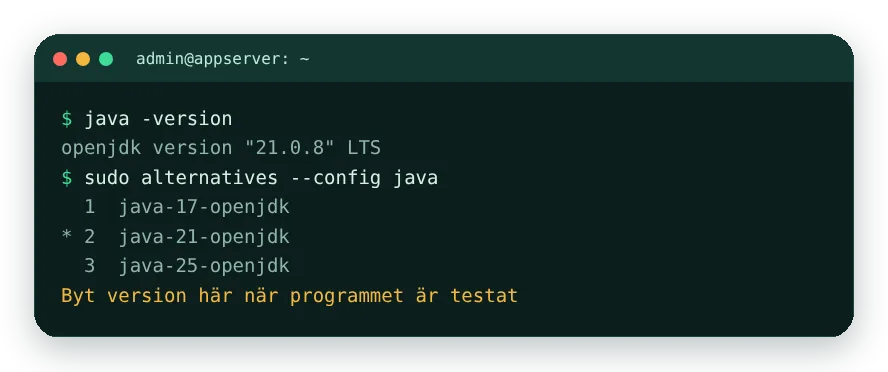
We work with OpenJDK, which is the free version of Java and comes with all major distributions. The long-term support versions are currently 17, 21 and 25, and they receive security updates for several years. However, older programs sometimes still run on version 8 or 11. In that case, we make a plan to move them to a newer version, since the old ones will soon lack fixes. We always test thoroughly before we switch.
Memory and garbage collection
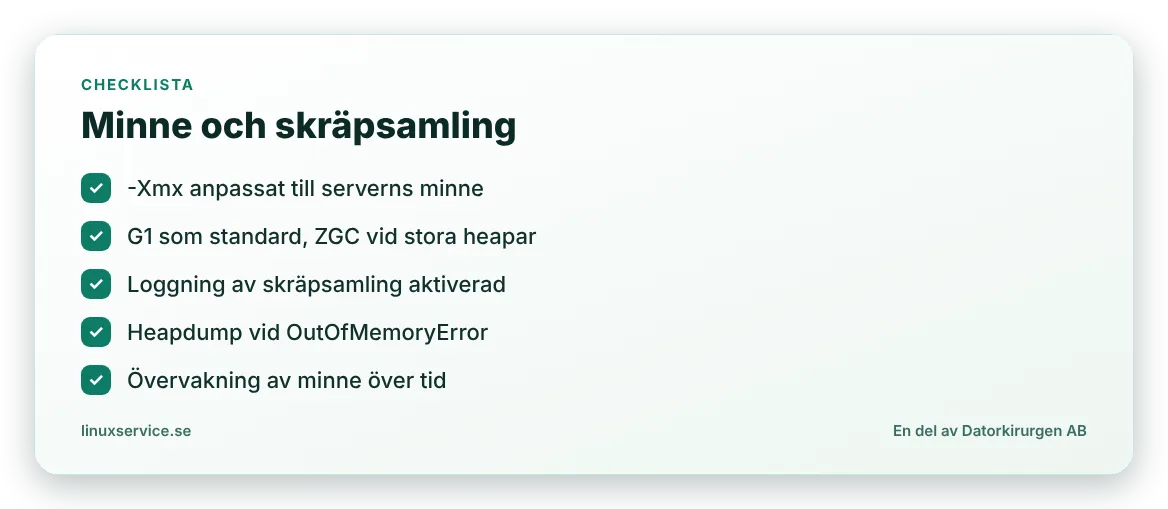
The most common problem with Java programs is memory. The program gets a limit on how much memory it may use, and the setting -Xmx controls it. If the limit is too low, the program crashes with OutOfMemoryError. If it is too high, Java takes memory from the rest of the system. In other words, the right value depends on both the program and the server.
After that, garbage collection is the next part. Java itself cleans up data that is no longer used, but the clean-up can sometimes pause the program. On modern versions, G1 is the default, and it suits most programs. For very large amounts of memory, ZGC can give shorter pauses. We switch on garbage collection logging, and then we see exactly how the program behaves.
Java as a service with systemd
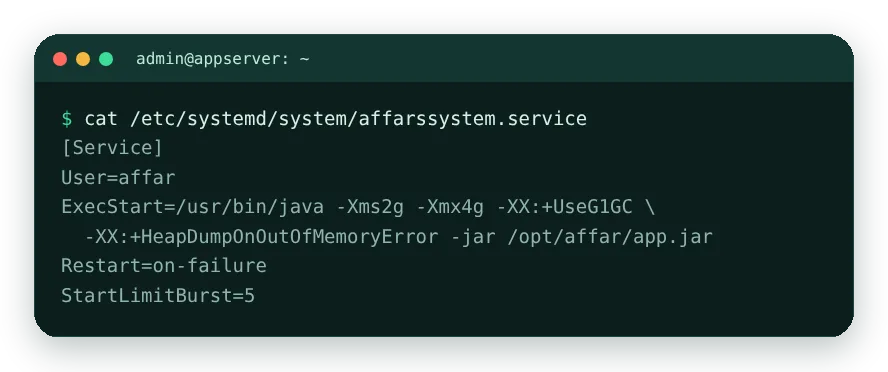
A Java program should start automatically and also restart after a crash. Therefore, we write a service file for systemd with the right user, directory and memory settings. As a result, the program never runs as root. If it concerns Tomcat or a similar application server, we set it up in the same way. The logs also end up in the journal, and there we search with journalctl.
We also add a limit on how many times systemd should try to restart. If the program crashes again and again, we want an alert instead of an endless loop. In addition, we set up a health check that calls the program regularly. In this way, we notice problems even when the process is still running but not responding. See also Python on Linux, where we work in the same way.
Troubleshooting with jcmd, jstack and heap dumps
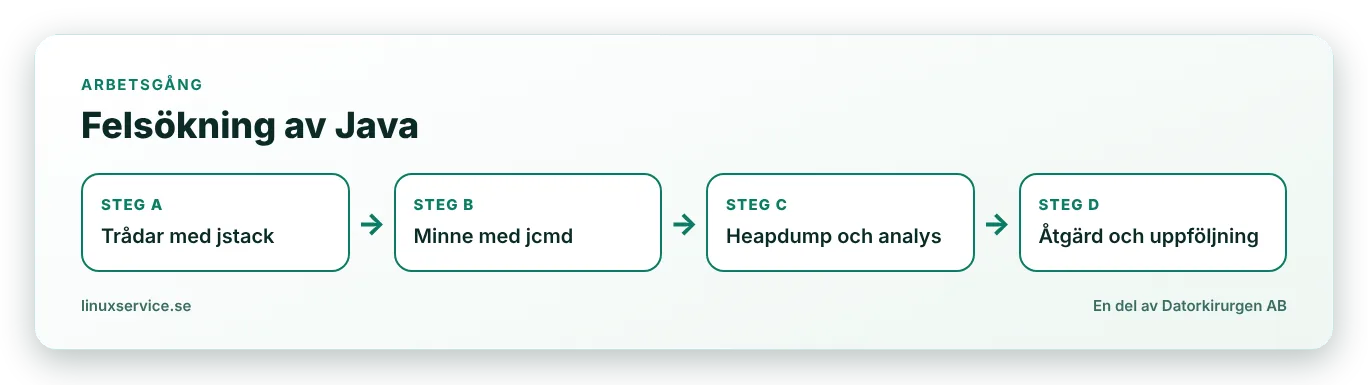
When a Java program becomes slow or locks up, we use the tools that come with OpenJDK. For example, with jstack we see what each thread is doing right now. If several threads are waiting for each other, it shows clearly, and then we have often found the cause. With jcmd, we can also see memory usage and start a heap dump without stopping the program.
A heap dump, on the other hand, shows which objects fill the memory. We analyse it in a tool such as Eclipse MAT, and then we can point out the part of the code that leaks. Sometimes the fault is in the program, but sometimes it lies in a library. We report the result to you or to the supplier, so that the fault is fixed in the right place.
Updates and security
Java receives security updates four times a year, and therefore a fixed routine is needed. We install them via the distribution’s package manager and restart the program in a planned maintenance window. In addition, we check the libraries that the program uses, since vulnerabilities are often found there rather than in Java itself. A well-known example is Log4Shell, which affected thousands of systems in 2021.
Therefore, we go through dependencies with tools that list known vulnerabilities, for example OWASP Dependency-Check. When something needs updating, we first test in a test environment. In this way, even critical fixes become a controlled process. More about hardening Linux for the server as a whole.
Contact Linux Service about Java on Linux
Linux Service is part of Datorkirurgen AB and has more than 30 years of experience of Linux and programming. We operate, update and troubleshoot Java on Linux for businesses across Sweden. Information about versions is available from OpenJDK, but we are happy to take care of the practical side.
Therefore, contact us when a Java program has become slow or crashes. We carry out a quick analysis and propose actions. We work remotely, and you always receive a summary. Moreover, we can take over the ongoing operation of the application and the server.
Frequently asked questions about Java on Linux
Questions about Java on Linux
- What is OpenJDK?
- Which Java versions have long-term support?
- Can several Java versions exist on the same server?
- How do you change the default version of Java?
- Do we need a licence for Java?
- Why should we leave Java 8?
- How often do security updates come?
- Does Tomcat work on all distributions?
- How do you see which version is running?
- Is Java suitable for small services?
Java on Linux: memory and operation
- What does -Xmx mean?
- Why does the program crash with OutOfMemoryError?
- What is garbage collection?
- When should you choose ZGC instead of G1?
- How do you log garbage collection?
- How do you turn a Java program into a service?
- Why should the program not run as root?
- What does StartLimitBurst do in systemd?
- How do you set up a health check?
- Where do the logs end up?
More about troubleshooting and security
- What does jstack do when the program locks up?
- When do you use jcmd?
- How do you take a heap dump without stopping the program?
- How do you analyse a heap dump?
- What was Log4Shell?
- How do you find vulnerable libraries?
- Can you troubleshoot our business system?
- Do you work remotely?
- What does your help cost?
- How do I contact you about Java?