
A full disk and lack of memory bring down many Linux servers. This is how we limit journald, add swap and grow the disk without downtime on AWS and other clouds.
When the server suddenly stops responding
Two of our own servers on AWS started showing recurring operational disruptions one year. The websites stopped responding, SSH was slow and sometimes the server needed a restart. The cause turned out to be a combination of three things. The disk was almost full, the memory ran out because the server had no swap, and the system log had grown enormous. Each problem alone was manageable, but together they brought down the server.
This article describes how we solved it. The screenshots come from the same work. The solution was not advanced, but it required us to fix all parts at the same time. Therefore, today we have the same basic settings on all servers we operate.
At first, the problems appeared as short interruptions of a few minutes, often at night. Therefore, it took time before anyone connected them. In addition, the logs showed different faults each time, since the kernel stopped different processes when the memory ran out. Only when we looked at disk, memory and logs at the same time did the pattern become clear. That is an important lesson: with recurring faults, look at the whole picture and not at a single message.
Journald: the log that ate the disk
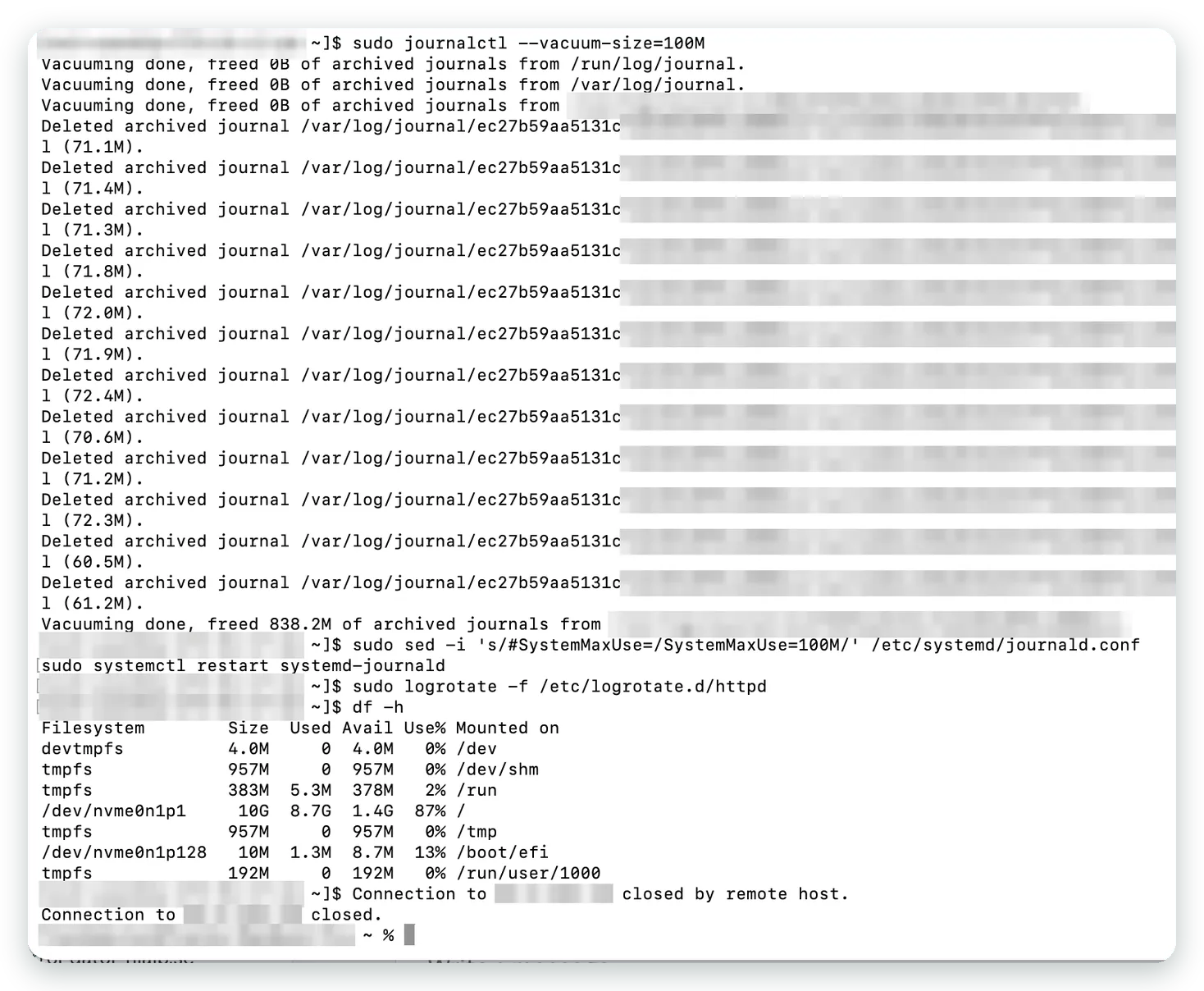
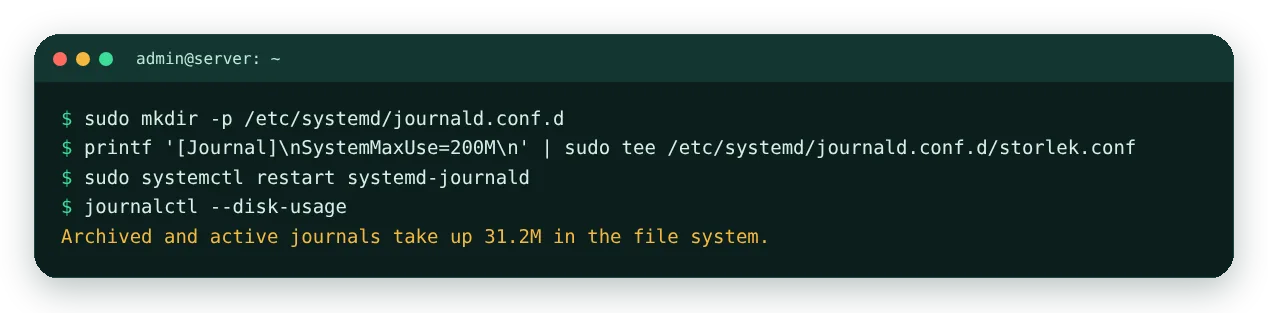
Systemd collects logs in journald. It is practical, but without a limit the log can grow until the disk is full. On our server, it took almost a gigabyte. We started by cleaning up with journalctl --vacuum-size, which removes older logs until the logs reach the limit. After that, we set a permanent limit in a separate configuration file, so that the same thing cannot happen again.
We chose 100 to 200 MB depending on the size of the server. It is enough to troubleshoot the last few weeks. However, if you need to keep logs for longer, we instead send them to a central log server or to CloudWatch. In addition, we check that logrotate works for Apache and other services that write their own log files. Otherwise, they grow in the same way. For example, we often see Apache logs of several gigabytes on servers that nobody has touched for a few years.
Swap: a safety margin for the memory
Many virtual servers in the cloud lack swap from the start. As a result, the server has no margin when the memory runs out. Then the kernel starts terminating processes, and often the database stops first. Therefore, we added a swap file of 2 to 4 GB. It does not make the server faster, but it prevents a crash during a temporary peak.
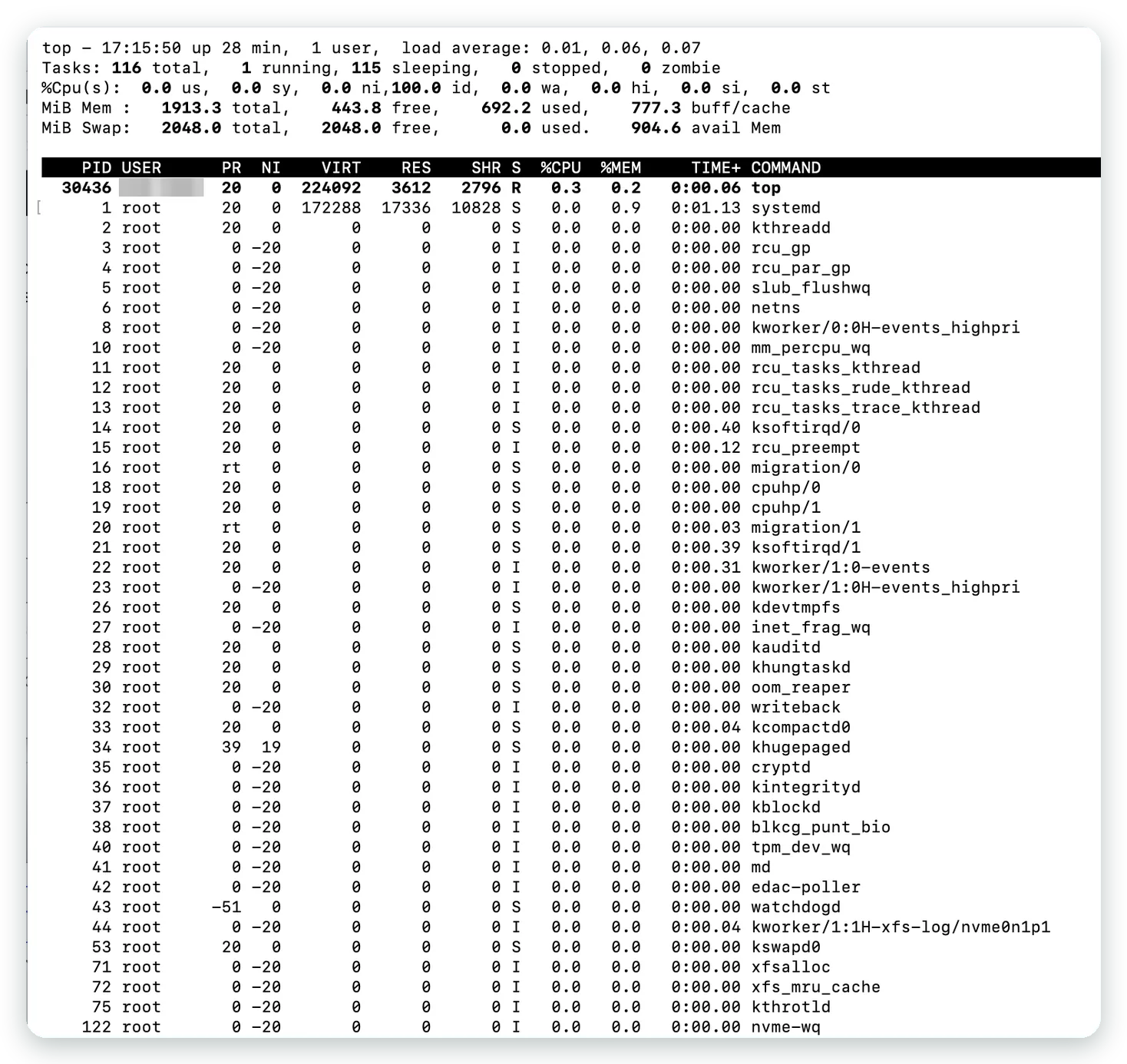
In addition, we set vm.swappiness to a low value. Then the system only uses swap when the memory really runs out, and as a result it does not affect performance in daily use. With top and free, we then follow how the server uses memory. If the server uses swap a lot all the time, it is a sign that it needs more memory. In that case, we propose a larger instance instead.

Growing the disk without interruption
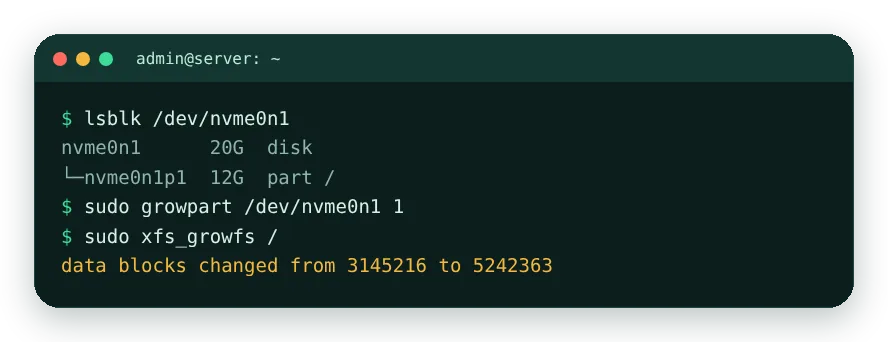
When the disk became too small anyway, we enlarged it. In AWS, you change the size of the EBS volume in the console, and after that the operating system sees the new space. The partition grows with growpart, and the file system with xfs_growfs or resize2fs. Everything happens while the server is running, and therefore visitors notice nothing.
We always take a snapshot before we change the size. Things rarely go wrong, but the consequences can be large. In addition, we add a clean-up script that starts twice a month. It removes temporary files, old logs and the package manager’s cache, as well as old PHP sessions. Read more about Bash scripts for such automation. Finally, we set up an alert when the disk reaches 80 per cent, so that we always have time to act.
Contact Linux Service about journald and disk space
Linux Service is part of Datorkirurgen AB and operates Linux servers in AWS, Azure, Google Cloud and own data centres. We set up journald, swap and monitoring, and we grow disks without interruption. The systemd documentation describes the settings for journald.
Contact us if your server shows operational disruptions or if the disk is approaching full. We carry out a quick review and fix what is causing trouble. We work remotely. Moreover, we can take over the ongoing operation, so that it does not happen again.
Frequently asked questions about journald
Questions about journald
- What is journald?
- Why can the log fill the disk?
- How do you see how much space the log takes?
- What does journalctl –vacuum-size do?
- How do you set a permanent limit?
- How large should the limit be?
- Do important logs disappear when you clean up?
- Can you send logs to a central server?
- What is the difference between journald and logrotate?
- Does this work on all distributions?
Journald, swap and memory
- Why do cloud servers often lack swap?
- How large should the swap file be?
- What does vm.swappiness mean?
- Does swap make the server faster?
- How do you see whether the memory runs out?
- Why does the database stop?
- What does top show?
- When does the server need more memory?
- Can swap wear the disk?
- How do you remove swap again?
More about disks and support
- How do you grow a disk in AWS?
- What does growpart do?
- What is the difference between xfs_growfs and resize2fs?
- Do we have to restart the server?
- Why should you take a snapshot first?
- What does the clean-up script do?
- Can you set up alerts for a full disk?
- Do you work remotely?
- What does your help cost?
- How do I contact you about a server that is causing trouble?