
OPcache makes PHP faster, but Apache cache can cause problems. This is how we set up OPcache, and why we switched off the disk cache on our web servers.
Two kinds of cache with different purposes
There are several kinds of cache on a web server, and they do different things. One saves the PHP code in compiled form in memory. As a result, PHP does not need to read and interpret the same files on every page view. Apache, on the other hand, has its own cache that can save whole responses on disk or in memory. In other words, it saves finished pages instead of code. The difference matters, since they give completely different risks.
The code cache is almost always a gain. It makes PHP faster without changing what visitors see. The Apache cache, however, can show old or wrong responses if the settings are wrong. We have experienced it ourselves on our web servers. Therefore, in this article we describe how we set up both, and which faults we have seen.
How we set up OPcache
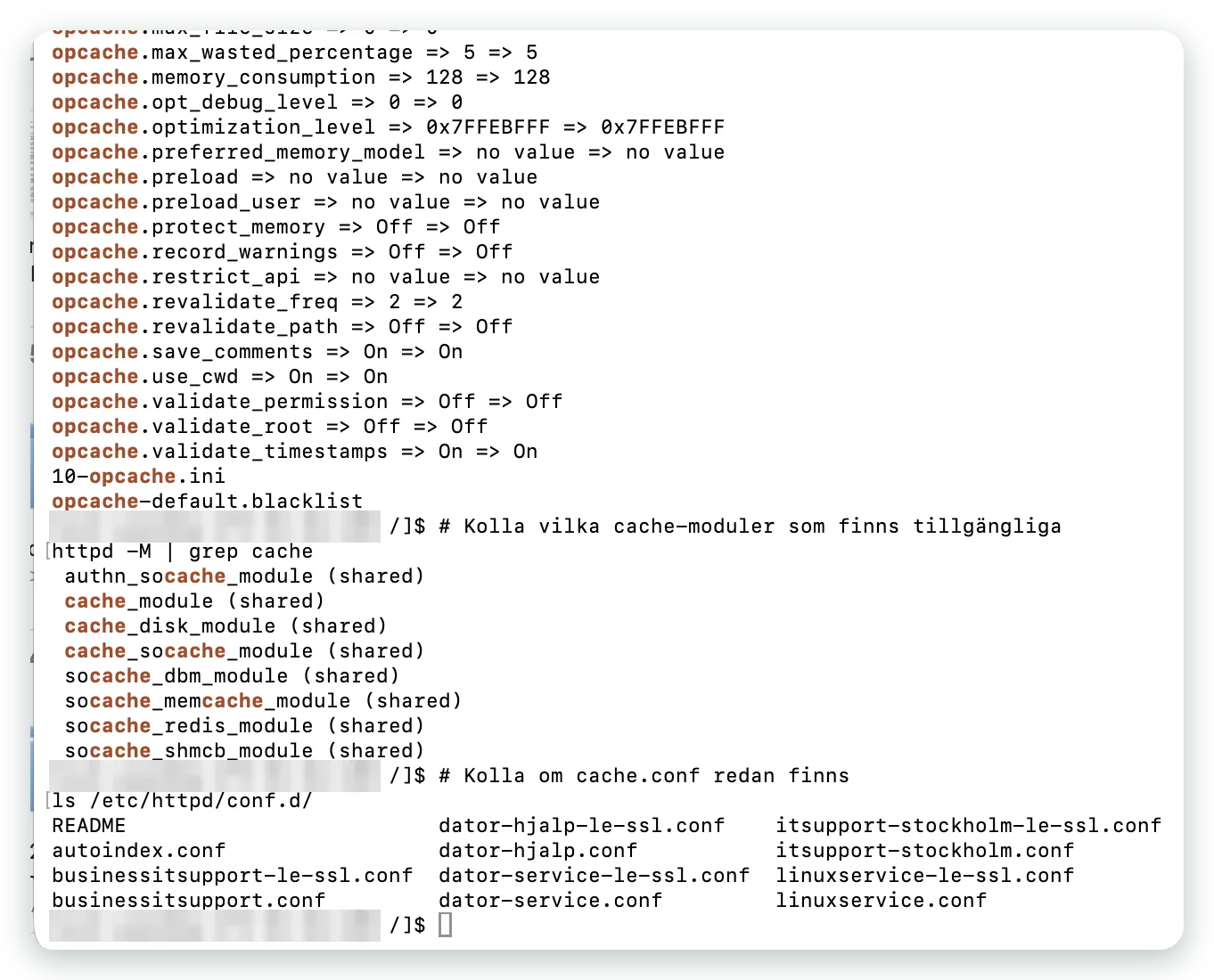
The most important setting is opcache.memory_consumption, which controls how much memory the cache gets. The default is 128 MB, and it is enough for most servers with a few WordPress sites. If the server has many large sites, we raise the value. In addition, we check opcache.max_accelerated_files, which decides how many files fit. In fact, WordPress with many plugins can have tens of thousands of PHP files.
The opcache.validate_timestamps setting decides whether PHP checks when files have changed. On a server where you update the sites via the admin panel, we leave it on. Otherwise, the updates do not appear until someone clears the cache. We also adjust revalidate_freq, so that the check does not happen on every request. In this way, we get both speed and safe updates.
When the Apache cache caused trouble
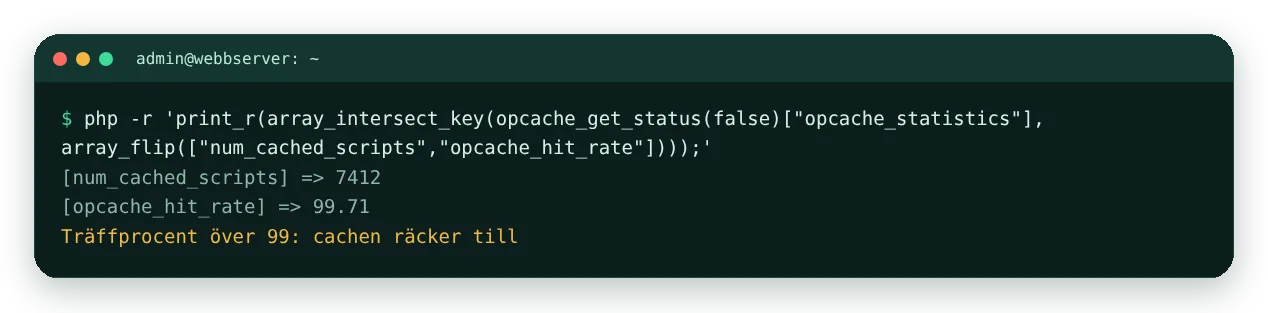
On our own servers, we had enabled the disk cache in Apache to get faster responses. At first it looked good, since the response time dropped. But after a while, strange faults began to appear. The Elementor editor did not load, and some requests to WordPress got the wrong response. On one occasion, requests to the interface received the content of the file for search robots instead of the right data.
The cause was that the cache saved responses that it should never save. This concerned redirects, signed-in pages and requests to the WordPress interface. When the cache then showed the same response for other requests, the result was wrong. We first tried to exclude certain addresses, but the faults came back in new forms. Finally, we switched off the disk cache completely, and then all of them disappeared at once.

What we use instead
Instead of the disk cache, we let the browser save static files, for example images, fonts and style sheets. We do this with the right lifetime headers. In addition, we compress the responses and use modern image formats such as WebP. The pages become fast, and at the same time each visitor gets the right content. For WordPress, a cache plugin can be a good choice, since it knows which pages it must not save.
We always measure before and after a change. We measure the response time with curl, and the loading time with Google’s page speed tool. If a change has no clear effect, we remove it. In fact, more settings mean more things that can go wrong. Feel free to read about PHP on Linux, where we go through PHP-FPM.
Troubleshooting when the page shows the wrong content
When a website shows old or wrong pages, we always start with the cache. First, we clear the code cache by restarting PHP-FPM, and after that we clear any other caches. If the fault disappears, we know where to look. Then we investigate which cache saved the wrong response and why. Often it concerns a missing header or a rule that is too broad.
We also check the response headers with curl -I. They show whether the response comes from a cache and how long the browser may keep it. That information saves a lot of time. In short, a cache is a powerful tool, but it requires an understanding of what it saves and when.
Contact Linux Service about OPcache and performance
Linux Service is part of Datorkirurgen AB and operates web servers with Apache, PHP and WordPress. We set up the code cache, troubleshoot cache faults and make your websites faster. The PHP manual for OPcache describes the settings.
Therefore, contact us when your website has become slow or shows strange faults. We carry out a review and propose actions. We work remotely, and you always receive measurements before and after.
Frequently asked questions about OPcache
Questions about OPcache
- What does OPcache do?
- Is it switched on by default?
- How much memory does the cache need?
- What does opcache.max_accelerated_files mean?
- Why should validate_timestamps be switched on?
- How do you see the hit rate?
- How do you clear OPcache?
- Does WordPress become faster?
- Can the code cache cause faults?
- Do you need OPcache if you have a cache plugin?
OPcache and the Apache cache: faults and solutions
- What is the difference between OPcache and the Apache cache?
- Why did the Apache cache show wrong responses?
- Why did Elementor not load with the cache switched on?
- How could the wrong file end up in the WordPress response?
- Can you exclude addresses from the Apache cache?
- Why did you switch off the disk cache completely?
- What do lifetime headers do?
- How do you check response headers with curl?
- What is WebP?
- How do you measure loading time?
More about performance and support
- Why has our website become slow?
- Can you set up caching for us?
- Do you also help with PHP-FPM?
- Can you optimise the database?
- Do you work with Nginx?
- Can you troubleshoot Elementor?
- Do you work remotely?
- What does a performance review cost?
- Do we receive measurements before and after?
- How do I contact you about the cache?