
Deployment on Linux with scripts, dry runs and troubleshooting. This is how we publish websites on AWS servers safely. Linux Service helps all of Sweden.
An ongoing project: several websites on one server
Right now, we are building a new website for Datorkirurgen AB, and it is the one you are reading. It shares a Linux server in AWS with six other websites. Each site has its own folder and its own database, but they use the same Apache, PHP and MariaDB. Therefore, every change must hit the right website and nothing else. The images in the article are real screenshots from the work, and as a result you see exactly how a deployment on Linux works with us.
The work covers 29 articles, just over 130 images, menus, SEO settings and a new home page. Doing all this by hand in the admin panel would take days. In addition, it would be hard to repeat if something went wrong. Instead, we write scripts that do the job in a few minutes. The scripts can run again, and they always show what they intend to do before they do it.
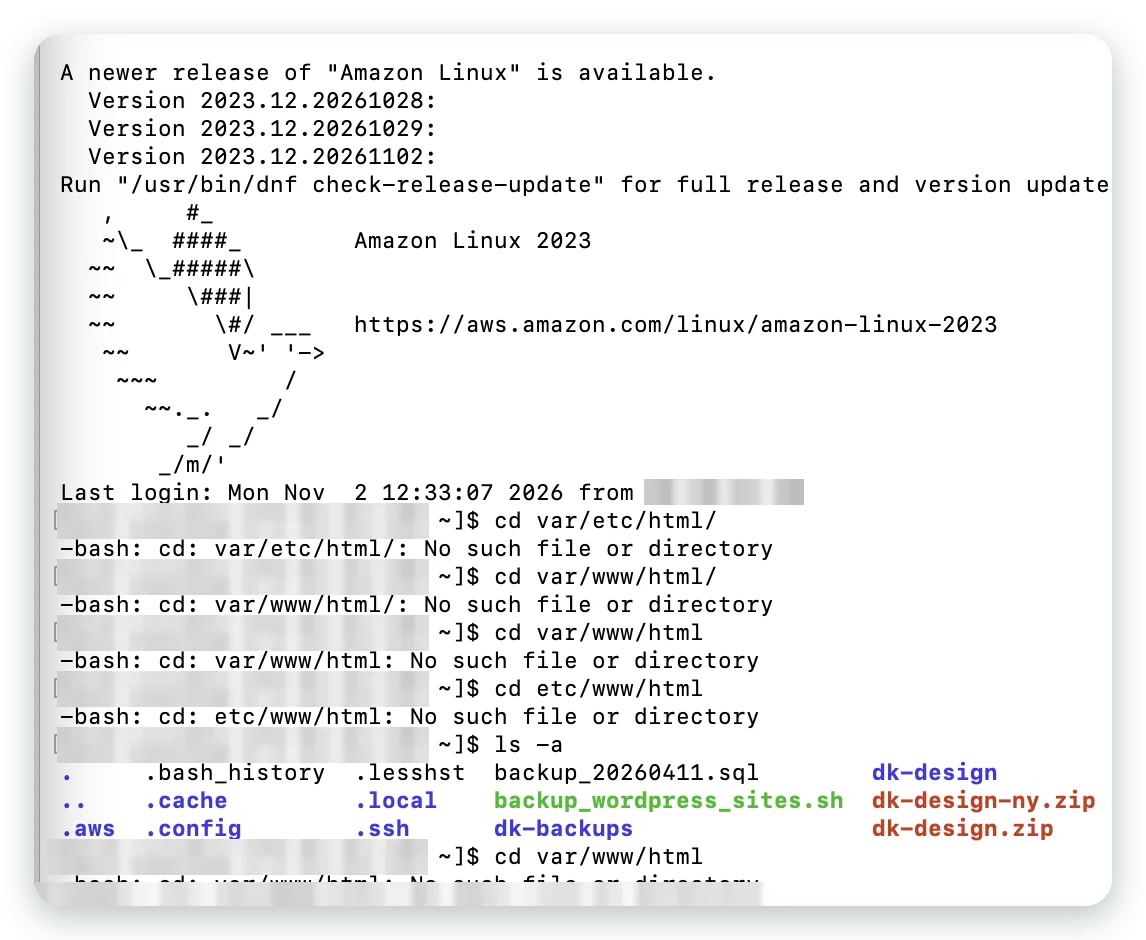
Deployment on Linux starts with the right folder
The first step is straightforward, but this is where many faults arise. The screenshot above shows that cd var/www/html does not work from the home directory. In fact, the path lacks the leading slash, and then the shell looks in the wrong directory. The correct command is cd /var/www/html. It is a small detail, but a script with the wrong path can write to the wrong website. Therefore, we always give the full path in every command.
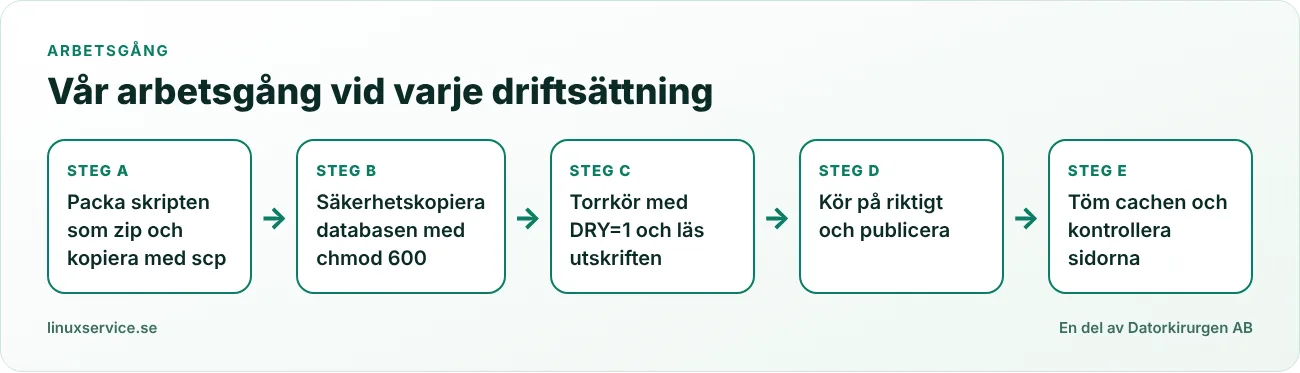
In addition, we run all commands as the web server’s user. On Amazon Linux it is called apache, while it is called www-data on Debian and Ubuntu. If you run as root, new files get the wrong owner, and then the web server can no longer change them. We put the variables after env, for example env WP_CLI_CACHE_DIR=/tmp/wpcli DRY=1, since sudo can otherwise remove them. Read more about file permissions in Linux.
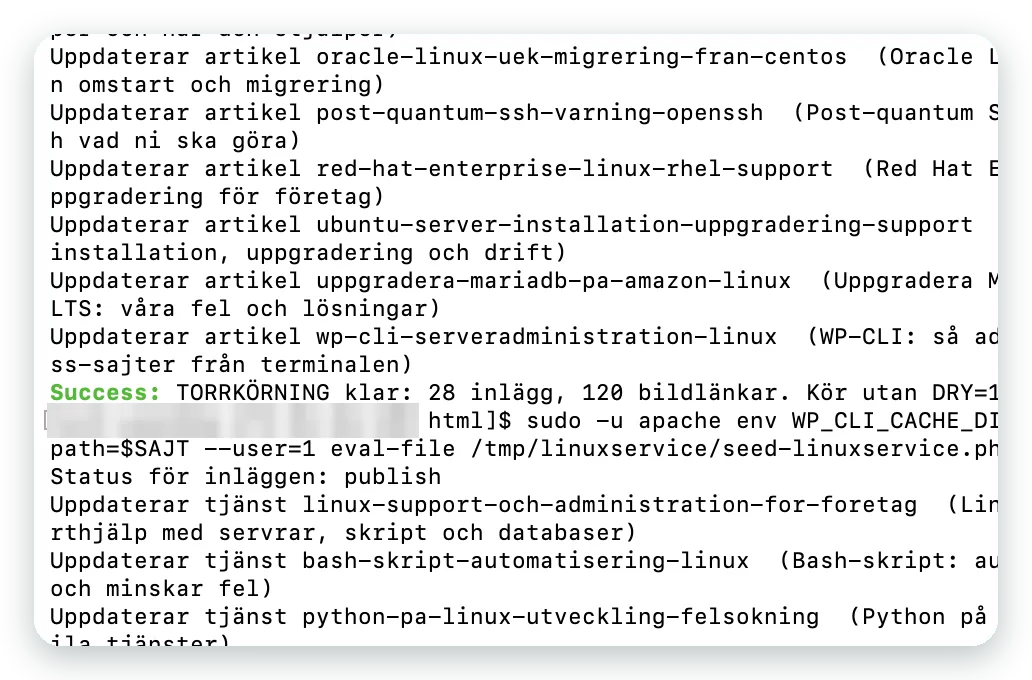
Dry runs during deployment on Linux
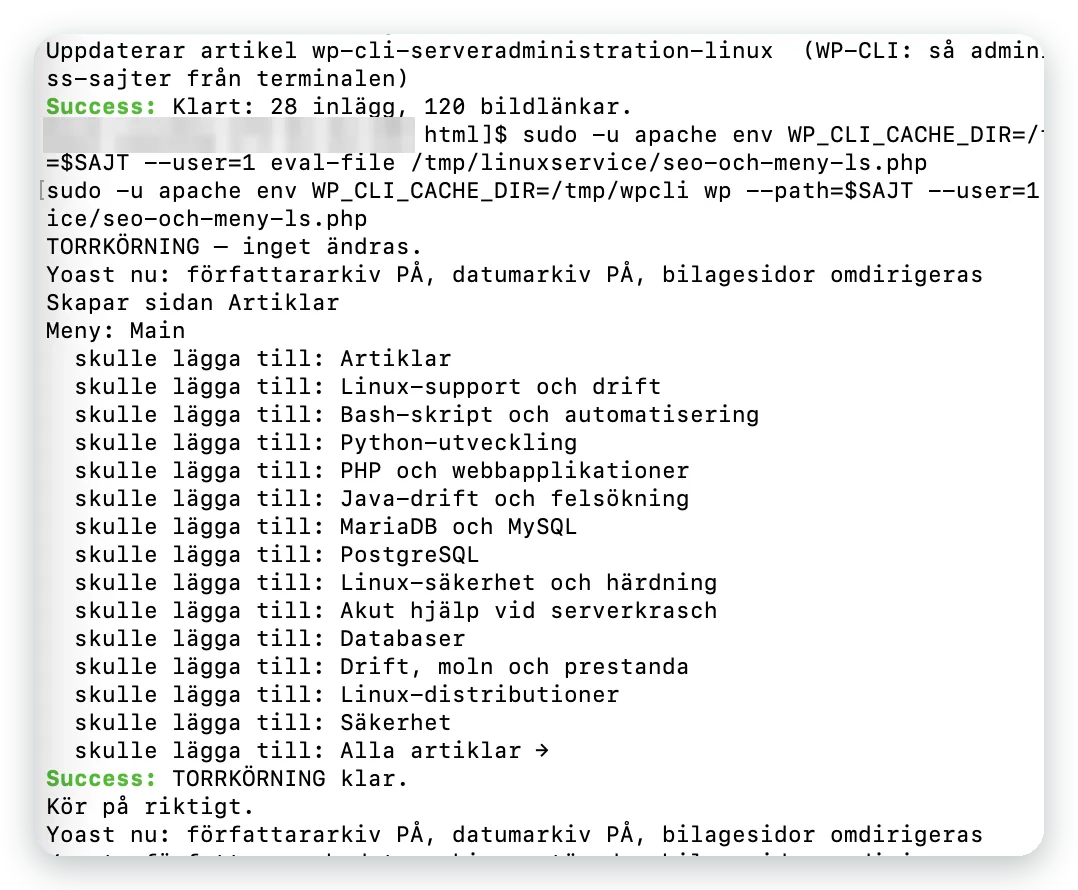
Every script we deliver has a dry run mode. This means that the script goes through all the work but changes nothing. Instead, it prints what it would have done. Only when the output looks right do we run it for real. In the image below, the dry run ends with 28 posts and 120 image links, and after that the real run starts with the status publish.
The method has prevented incorrect changes many times. For example, a dry run reveals wrong paths, missing files and incorrect conditions. At the same time, the client sees exactly what will happen. We always deliver the scripts as zip files with instructions and never paste long blocks directly into the terminal. In this way, every deployment on Linux becomes both traceable and reproducible.
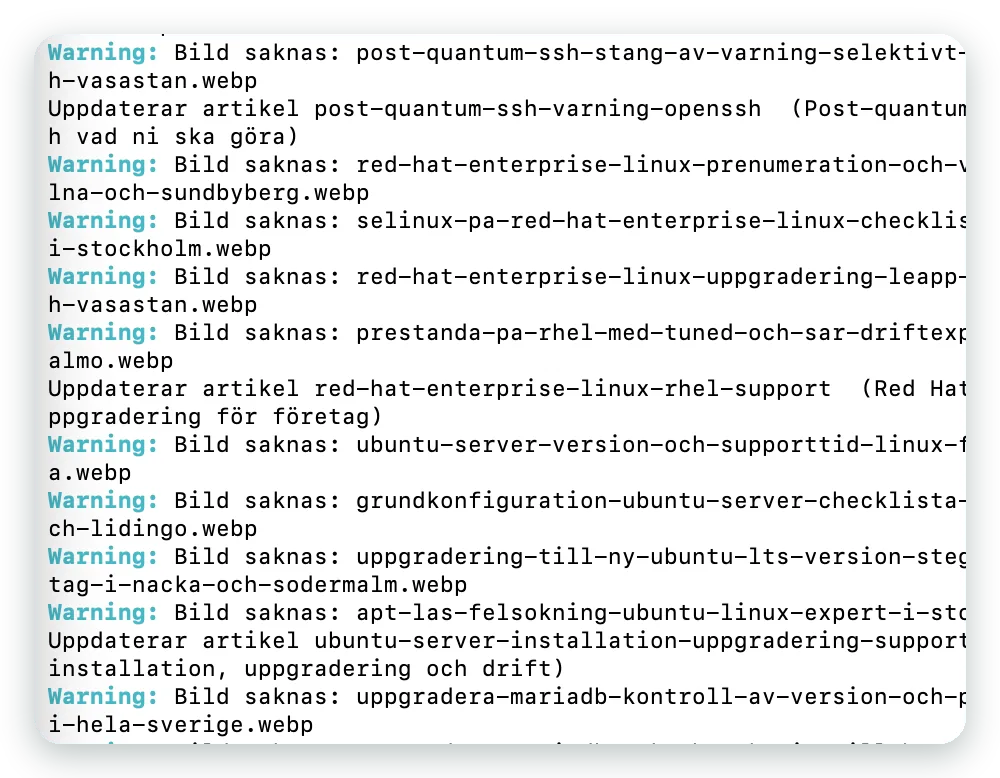
Troubleshooting: all the images are missing
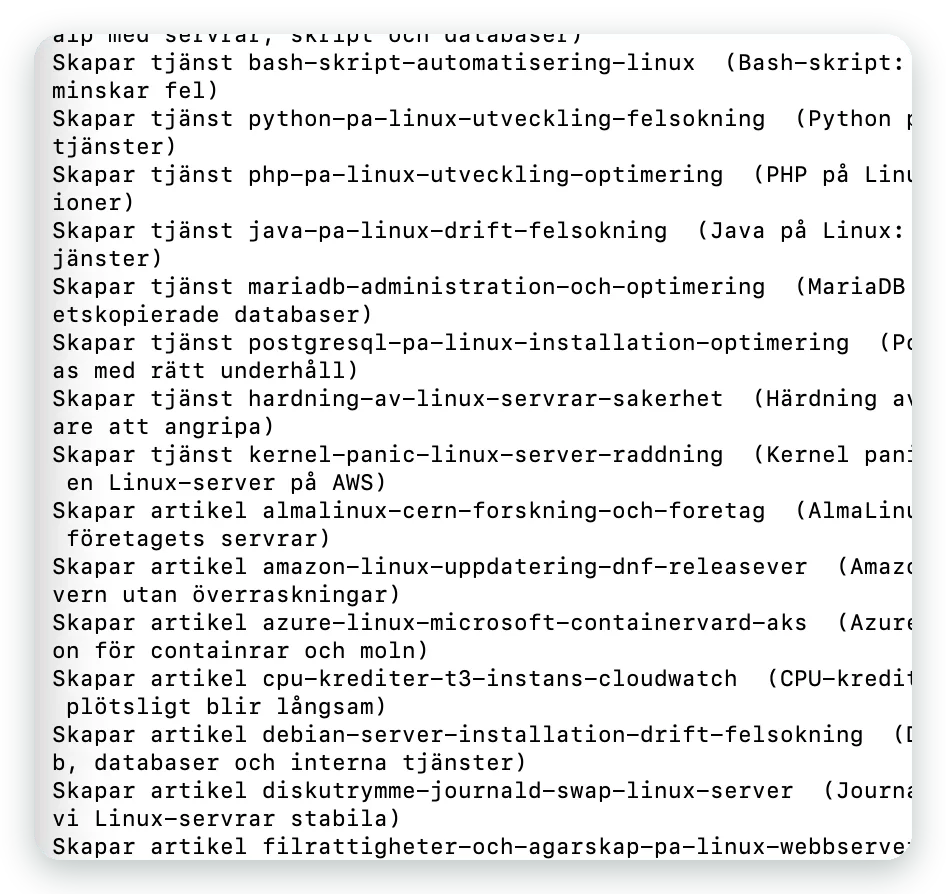
During the first run, a long series of warnings appeared about missing images. The files were nevertheless in the right place on the server. The fault was therefore in the script and not in the files. The cause turned out to be a detail in WP-CLI. In fact, the eval-file command runs the script inside a function, and therefore the variables at the start of the script do not become global. The function that uploaded the images thus saw an empty path.
The solution was to make the variables global explicitly with $GLOBALS. After that, we tested the fix with PHP on a copy before we delivered a new package. The warning now prints the full path, which makes the next troubleshooting faster. In short, it is such details that separate a quick fix from a long troubleshooting session. Feel free to read about WP-CLI on Linux.
Menus, SEO and the home page with the same method
When the articles were in place, we ran the next script. It switches off author and date archives in Yoast, creates the Articles page and builds the menu with services. Here too, we first ran a dry run. The output then showed every menu item to add, and only after that did we run it for real. After that, a separate script built the home page, which also connects the contact form.
Afterwards, we always clear the Elementor cache with wp elementor flush-css and save the permalinks again. We open the pages in a private window and check images, links and forms. In addition, we submit the sitemap to Google Search Console and request indexing of the most important pages. It is the last step in a deployment on Linux, and as a result the website is ready for visitors.
Security and recovery
We always take a backup of the database before every run. The file gets permission 600, so that only the owner can read it, since it contains the whole website. If something goes wrong, we can therefore restore it in a few minutes. In addition, we mask all screenshots before we publish them, so that addresses, host names and keys are not visible.
A restore requires careful thought. If you load an old backup, everything you did afterwards disappears, and in addition files on the disk can remain without a link. Therefore, we have ready-made scripts that clean up such files, and these also have a dry run mode.
Contact Linux Service about deployment
Linux Service is part of Datorkirurgen AB and has more than 30 years of experience of Linux, scripts and databases. We deploy websites and applications on Amazon Linux, Red Hat, AlmaLinux, Debian and Ubuntu for businesses across Sweden. Prices start from €1,300 per hour excluding VAT. The tool we use is described at wp-cli.org.
Therefore, contact us if you are going to move, build or update websites on a Linux server. First, we carry out a review, and then we propose a plan. We work remotely or on site in Stockholm.
Frequently asked questions about deployment on Linux
Questions about deployment on Linux
- What does deploying a website involve?
- Can several websites share a Linux server?
- Why does each website have its own folder?
- Why should the scripts run as the web server’s user?
- What is the web server’s user called on different distributions?
- Why should the variables come after env?
- Why do you deliver the scripts as zip files?
- How do you copy the scripts to the server?
- Why should you not paste long blocks into the terminal?
- Does the approach work on all distributions?
Dry runs, backups and troubleshooting
- What is a dry run?
- How do you start a dry run?
- Why should the backup have permission 600?
- What happens if you load an old backup?
- Why were the images missing during the first run?
- Why do the variables not become global in eval-file?
- How did you fix the fault?
- Can the scripts run several times?
- How do you clean up files that remain?
- How do you clear the Elementor cache?
More about publishing and support
- Do you create menus with scripts?
- Can you switch off author archives in Yoast?
- How do you submit the sitemap to Google?
- How many pages can you request indexing for per day?
- Do you mask sensitive details in screenshots?
- Can you move a website to a new server?
- Can we run the scripts ourselves?
- Do you work remotely?
- How quickly can you start?
- What does your help cost?