
Compute Engine, Container-Optimized OS, OS Login and cost control: this is how we work with Linux on Google Cloud, and we set up and operate your virtual servers.
Which Linux does Google offer?
Google has no Linux distribution of its own for ordinary servers, but it has Container-Optimized OS. It is a small, hardened system based on Chromium OS, and it is made to run containers. For ordinary virtual servers in Compute Engine, you instead choose from ready-made images of Debian, Ubuntu, Red Hat Enterprise Linux, Rocky Linux and several others. Therefore, Linux on Google Cloud is mostly about choosing the right image for the right task.
Container-Optimized OS fits when everything runs in containers and you want minimal maintenance. However, it lacks a package manager, and as a result you cannot install programs in the usual way. For a traditional web server with Apache, PHP and a database, we therefore usually choose Debian or Ubuntu. If you have requirements for certified software, we instead propose RHEL. We help you choose before the server is created. In fact, a switch afterwards requires a new installation, and therefore it pays to think first. In addition, we choose the disk size with a margin, since you can enlarge a disk without interruption but not shrink it.

How we create a Linux server in Compute Engine
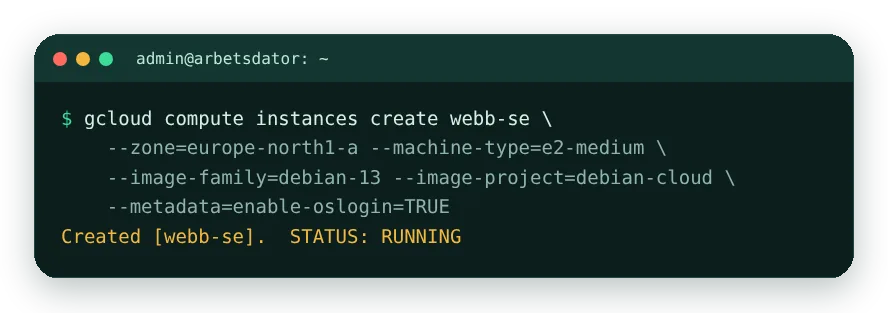
We create a new server with the gcloud compute instances create command or in the web console. We choose a region in Europe, often Finland or the Netherlands, since it gives low latency to Sweden. After that, we choose the machine type, disk and image. Small web servers often manage with an e2 machine, while databases need more memory. We would rather start a little smaller and scale up when needed.
We set up sign-in with OS Login. Then the SSH access is linked to the Google account, and as a result you avoid sharing keys between people. When someone leaves, it is enough to remove the account. In addition, we activate two-step verification for all administrators. We apply the firewall rules at network level, so that only the necessary ports are open.
Monitoring, alerts and costs
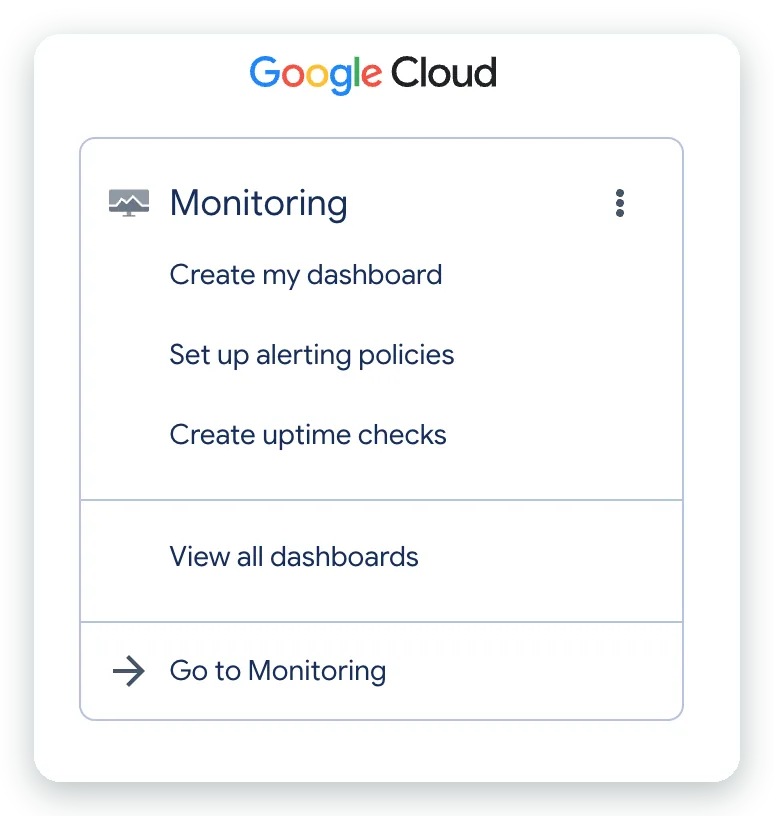
Google Cloud has built-in monitoring with dashboards, alert rules and uptime checks. We set up alerts for processor, memory and disk, and also a check that calls the website every minute. If the site stops responding, you and we receive a message immediately. We collect the logs in Cloud Logging, so that we can search them even if the server has restarted.
The cost is often what surprises people most in the cloud. Therefore, we set up budget alerts already on the first day. We also go through disks and static addresses that remain unused, since they cost money every month. In addition, discounts for sustained use can lower the price considerably. In short, you get a server that both works and has a predictable price.
We also go through which services really need a server of their own. Sometimes a managed database or Cloud Run is a better choice, since Google then manages the operating system. This reduces the work with updates and security. At the same time, the price can become lower when the traffic varies a lot. We compare the options honestly and recommend what suits you.
Moving existing servers to Google Cloud
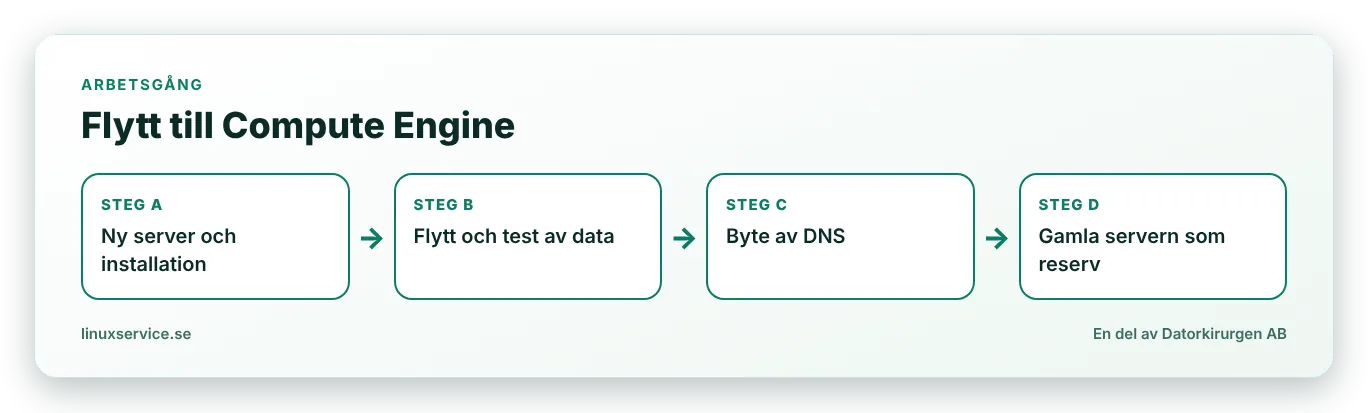
Many clients want to move an existing Linux server to the cloud. Sometimes you can move the whole disk, but usually a new installation gives a better result. In that case, we build a new server, move the data and test. After that, we switch DNS, and the old server remains for a few days as a reserve. In addition, we lower the lifetime of the DNS record in advance, so that the switch takes effect quickly. In this way, the interruption is short and the risk small.
We also take care of certificates, email and backups in connection with the move. We like to keep backups in Cloud Storage, with a rule that deletes old copies automatically. This gives low cost and high security. Feel free to also read about Ubuntu Server, which is a common choice in Compute Engine.
Contact Linux Service about Linux on Google Cloud
Linux Service is part of Datorkirurgen AB and works with Linux in all major clouds: AWS, Azure, Google and Oracle. We set up, move and operate Linux on Google Cloud for businesses across Sweden. Google describes its images in the documentation for Compute Engine.
Therefore, contact us when you plan a move or when the costs have grown. We go through the environment and propose improvements. We work entirely remotely, but we are happy to meet you in Stockholm. Moreover, we can take over the operation when everything is in place.
Frequently asked questions about Linux on Google Cloud
Questions about Linux on Google Cloud
- Does Google have its own Linux distribution?
- What is Container-Optimized OS?
- Which Linux images are available in Compute Engine?
- When does Container-Optimized OS fit?
- Why does Container-Optimized OS lack a package manager?
- Which image suits a WordPress server?
- Can you run RHEL with Google?
- Which region should we choose from Sweden?
- What is an e2 machine?
- Can you change the machine type later?
Linux on Google Cloud: security and monitoring
- What is OS Login?
- Why is OS Login better than shared keys?
- How do you open a port in the firewall?
- How do you set up alerts for disk and memory?
- What is an uptime check?
- Where do the logs end up?
- How do you set up budget alerts?
- Why do unused disks cost money?
- What is a sustained use discount?
- How do you make backups in Cloud Storage?
More about moves and support
- Can you move our existing server to Google Cloud?
- How long is the interruption during the move?
- Can we keep the same domain and email?
- Do you also help with AWS and Azure?
- Can you reduce our cloud costs?
- Do you work remotely?
- Can you take over operation after the move?
- What does a move cost?
- How quickly can you help with urgent faults?
- How do I contact you about Google Cloud?