
Forensics on a Linux server after an intrusion: how we secure traces, find back doors, fake administrators and changed files, and close the gap.
When the site suddenly shows Hacked by
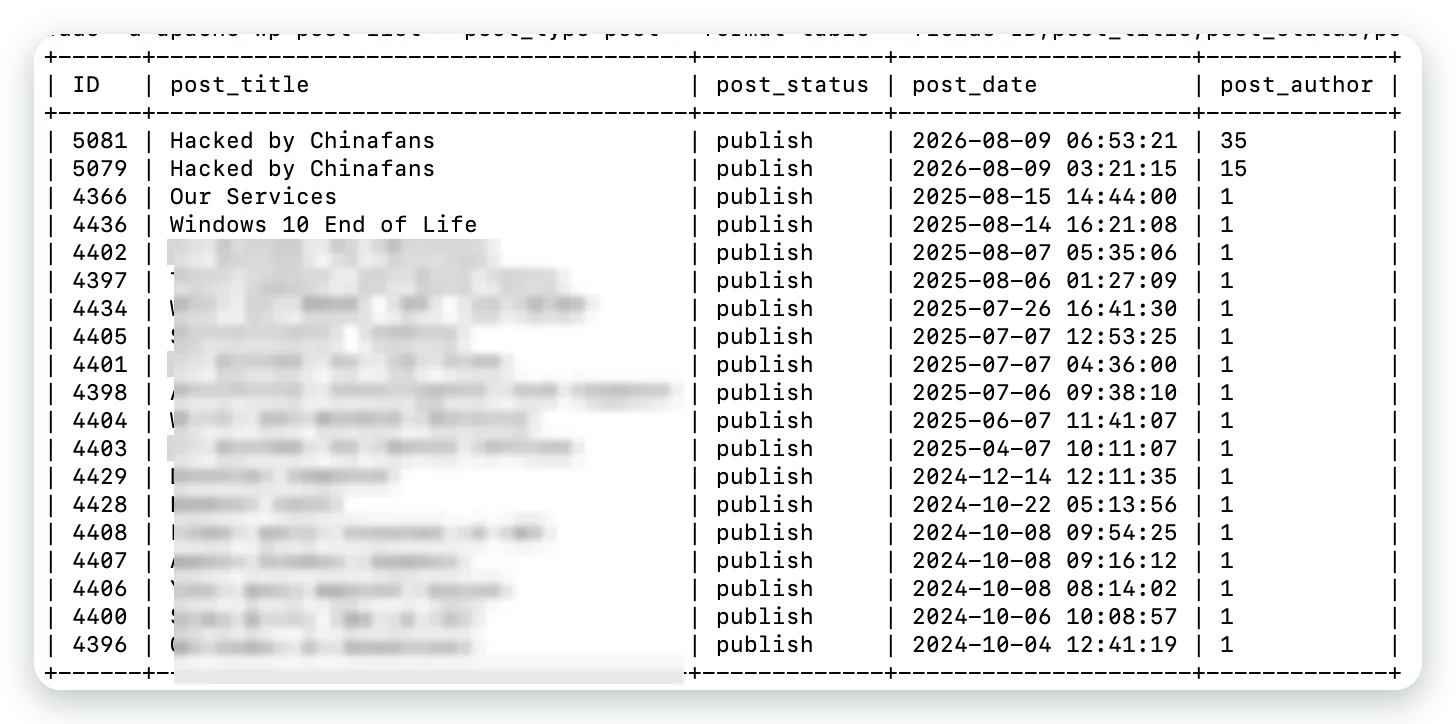
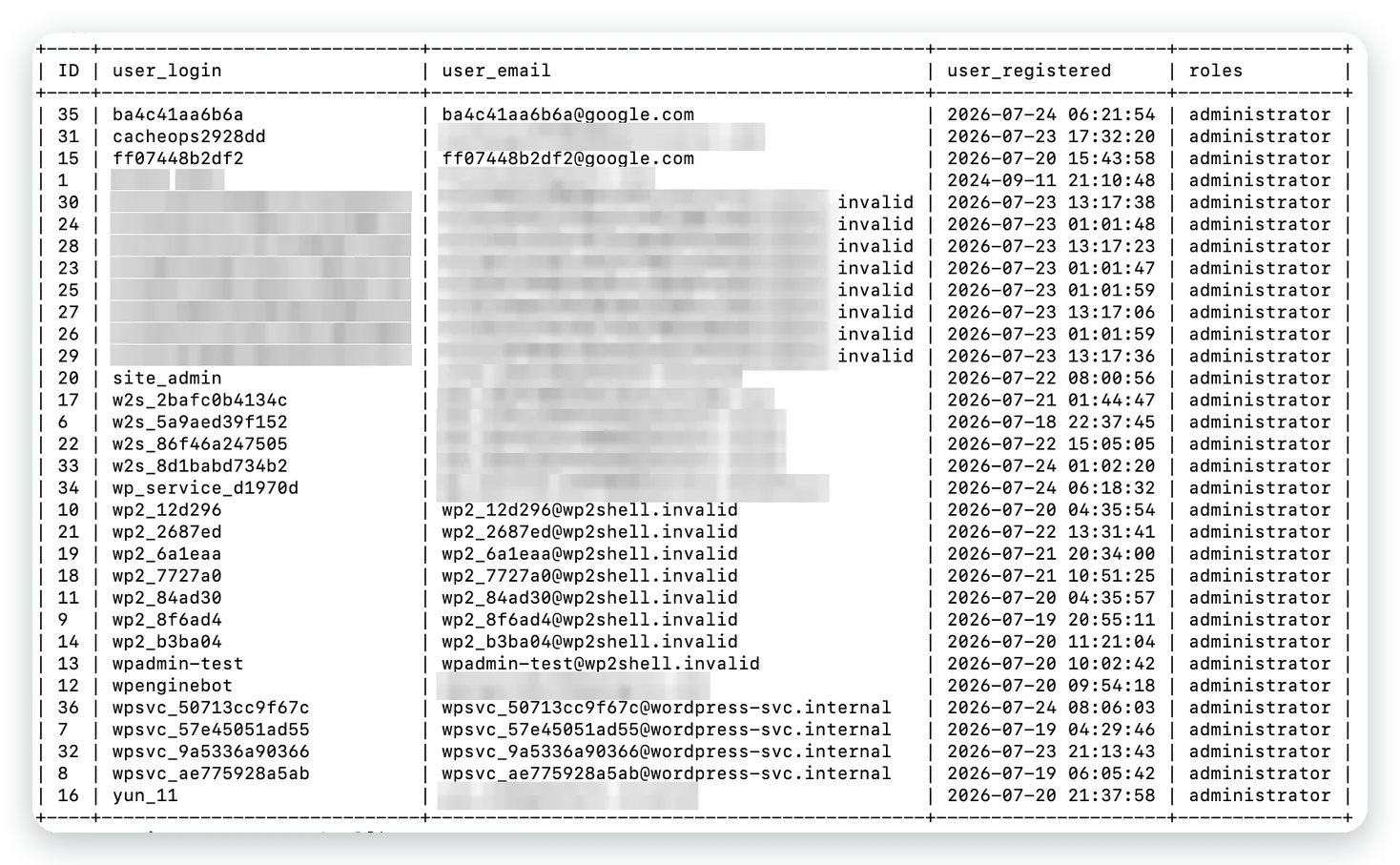
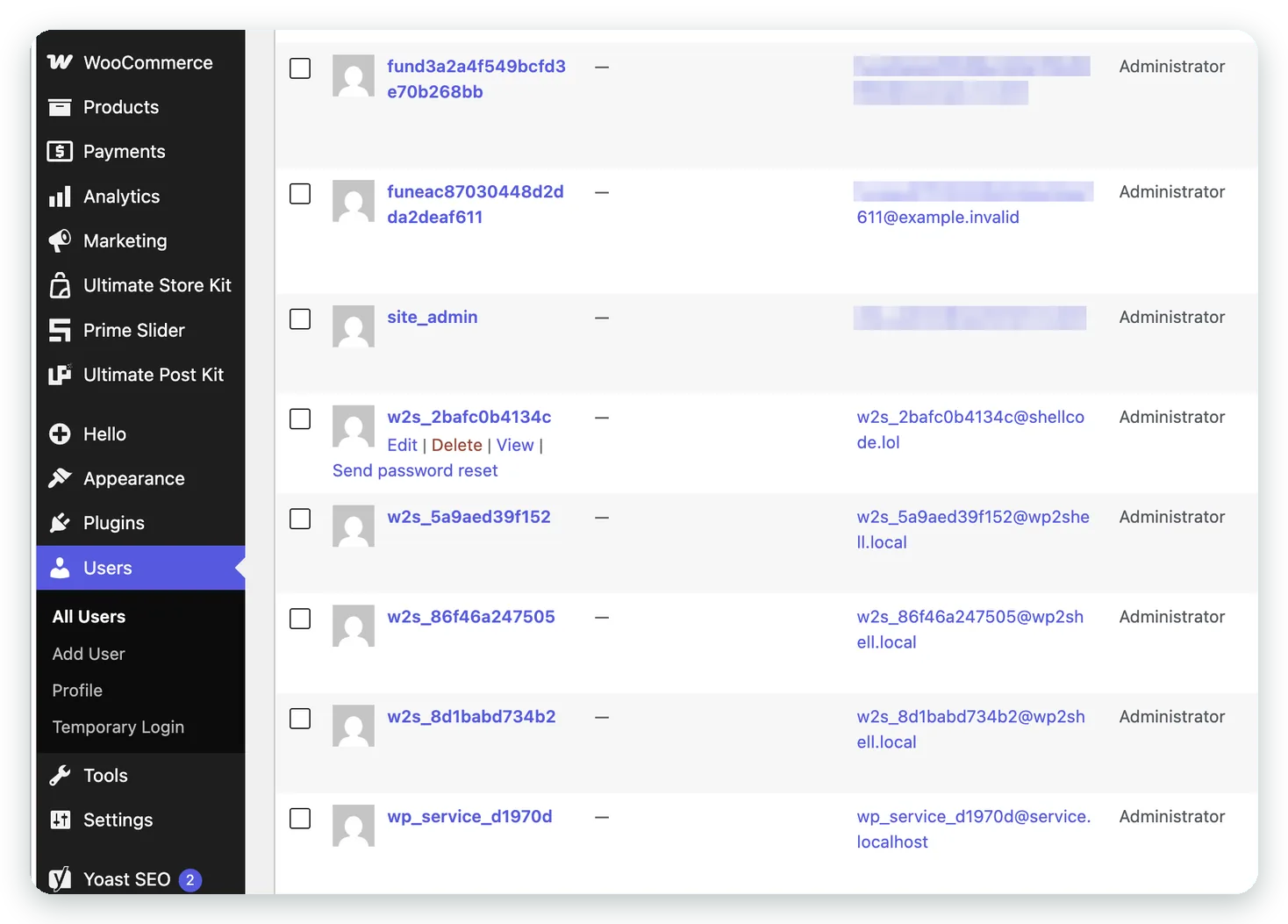
One morning, a WordPress site had two new posts with the heading Hacked by Chinafans. It was the visible sign of an intrusion, far from the whole picture. When we listed the users in the database, we found more than thirty administrators that nobody recognised. They had random-looking names and email addresses on domains such as shellcode and wp2shell. The accounts had been created over a few days in July.
The screenshots in this article come from that investigation. We have masked the client’s details, but the attackers’ accounts remain visible, since they show what such an attack looks like. This article concerns forensics on a Linux server, the work at server level. Our sister site Business IT Support describes the investigation of the database in a separate article.
Step one: secure the traces before anything changes
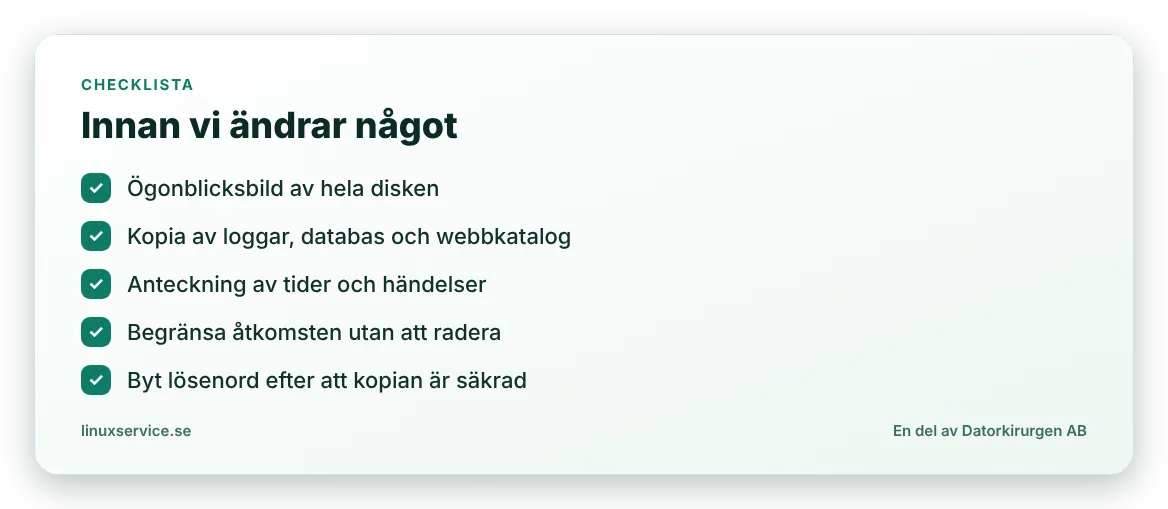
The first thing we do is secure the traces. If you start deleting files and accounts directly, the evidence of how the attacker got in also disappears. Therefore, we take a snapshot of the whole disk and copy logs, database and web directory to a safe place. In addition, we note times, since we need them to link events. Only after that do we start the analysis.
Meanwhile, we limit the damage. For example, we can close the admin panel for everyone except a fixed address or take the site offline with a temporary maintenance page. The important thing is to stop the attacker without destroying the traces. We also change all passwords that the attacker may have seen, but only after we have secured the copy.
Step two: find the way in
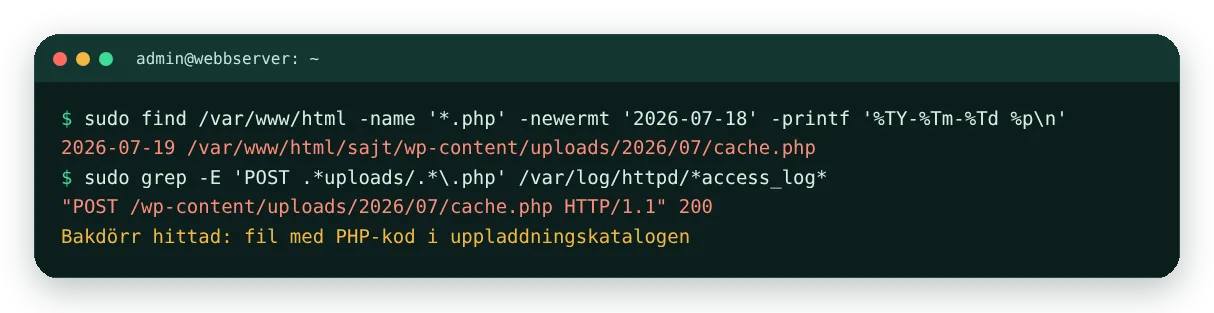
After that, we find out how the attacker got in. The web server’s access log shows all requests, and we search for POST requests to unusual files around the time the accounts appeared. Often we find a vulnerable plugin or an upload that has worked as a back door. In addition, with find we look for PHP files that have changed recently. Files in the upload directory that contain PHP code are a strong sign.
We also check cron, systemd services and user accounts in the operating system. In fact, a skilled attacker adds ways to come back, even if you delete the back door. We also look at outgoing connections and processes that do not belong. In this way, we get a complete picture instead of half of one.
Step three: clean up and close the gap
When we know how the attacker got in, we clean up. We remove back doors, fake accounts and malicious posts. After that, we replace the WordPress core files and all plugins with clean copies from official sources. In addition, we change the security keys in the configuration, so that all old sign-ins become invalid. We also change the passwords for the database, FTP and email.
Then we close the gap. This may involve removing a plugin, updating everything, stopping PHP in the upload directory and restricting the admin panel. We also go through file permissions in Linux, since incorrect permissions often make the damage worse. Finally, we check that Google has not flagged the site and request a new review if needed.
Step four: report and follow-up
After the investigation, you receive a report in Swedish or English. It describes what happened, when it happened and how the attacker got in. In addition, it states which actions we have taken and what we recommend going forward. The report works as a basis for insurance companies and, if needed, for a police report. If personal data may have leaked, we also help with the basis for a report to the Swedish Authority for Privacy Protection (IMY).
We follow up the site over the coming weeks. If the attacker tries again, it shows in the logs, and then we can act. In addition, we recommend hardening Linux and regular checks going forward.
Contact Linux Service about forensics on a Linux server
Linux Service is part of Datorkirurgen AB, which carries out forensic investigations and security audits for businesses across Sweden. We secure traces, find the way in and close the gap in a way that lasts. General guidance on incidents is available from CERT-SE.
Therefore, contact us directly if you suspect an intrusion. Preferably, touch nothing until we have secured the traces. We take over remotely, often within a few hours. Moreover, you receive a clear report when the work is finished.
Frequently asked questions about forensics on a Linux server
Questions about forensics on a Linux server
- What does Hacked by mean on our site?
- What should we do first when we discover an intrusion?
- Why should you not delete files directly?
- How do you secure the traces?
- How long do the logs remain?
- What is a snapshot of the disk?
- Should we take the site offline?
- When should we change passwords?
- How do you know when the attacker got in?
- Can the attacker still have access?
Forensics: back doors and clean-up
- What is a back door?
- How do you find changed PHP files?
- Why are PHP files in the upload directory dangerous?
- What do you look for in the access log?
- Can the attacker have added cron jobs?
- How do you remove fake administrators?
- Why should you change the security keys in WordPress?
- Is it enough to update the plugins?
- How do you know that the site is clean?
- What do you do if Google has flagged the site?
More about the report and support
- What does the report contain?
- Can the insurance company use the report?
- Should we report the intrusion to the police?
- When must you report to IMY?
- Do you follow up after the clean-up?
- How do we prevent it from happening again?
- Do you work remotely?
- How quickly can you start?
- What does an investigation cost?
- How do I contact you in the event of an intrusion?