
CPU credits control performance on t3 instances in AWS. This is how we read the credit balance, set sensible alerts in CloudWatch and choose the right mode for your server.
How a burstable instance works
AWS calls the instances in the t3 family burstable. They have a baseline of processor power, and above it they can temporarily use more. For this, they use CPU credits. When the server stays below the baseline, it earns credits, and when it goes above, it spends them. The model is intended for web servers that have a low load most of the day but short peaks.
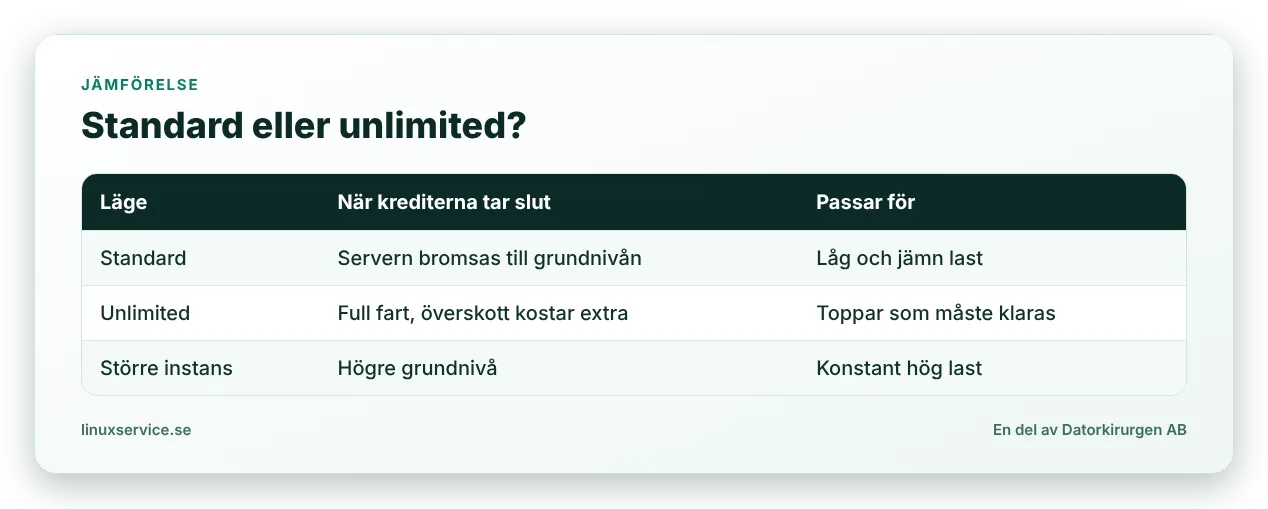
The problem arises when the credits run out. In standard mode, the server then slows down to the baseline, which for a smaller instance is only a fraction of a processor core. The websites become slow, SSH sluggish and everything seems wrong. In unlimited mode, however, the server continues at full speed, but then the surplus costs extra. Therefore, it is important to understand which mode the server has and what the balance looks like.
Many discover the problem only when clients complain about a slow website. The server seems healthy in the console, since it responds and shows no faults. Only when you look at the credit balance do you see that it has been at zero for several hours. Therefore, we always add the balance to the same overview as other metrics. Then the link between slow pages and empty credits becomes clear.
An alert that went off all the time
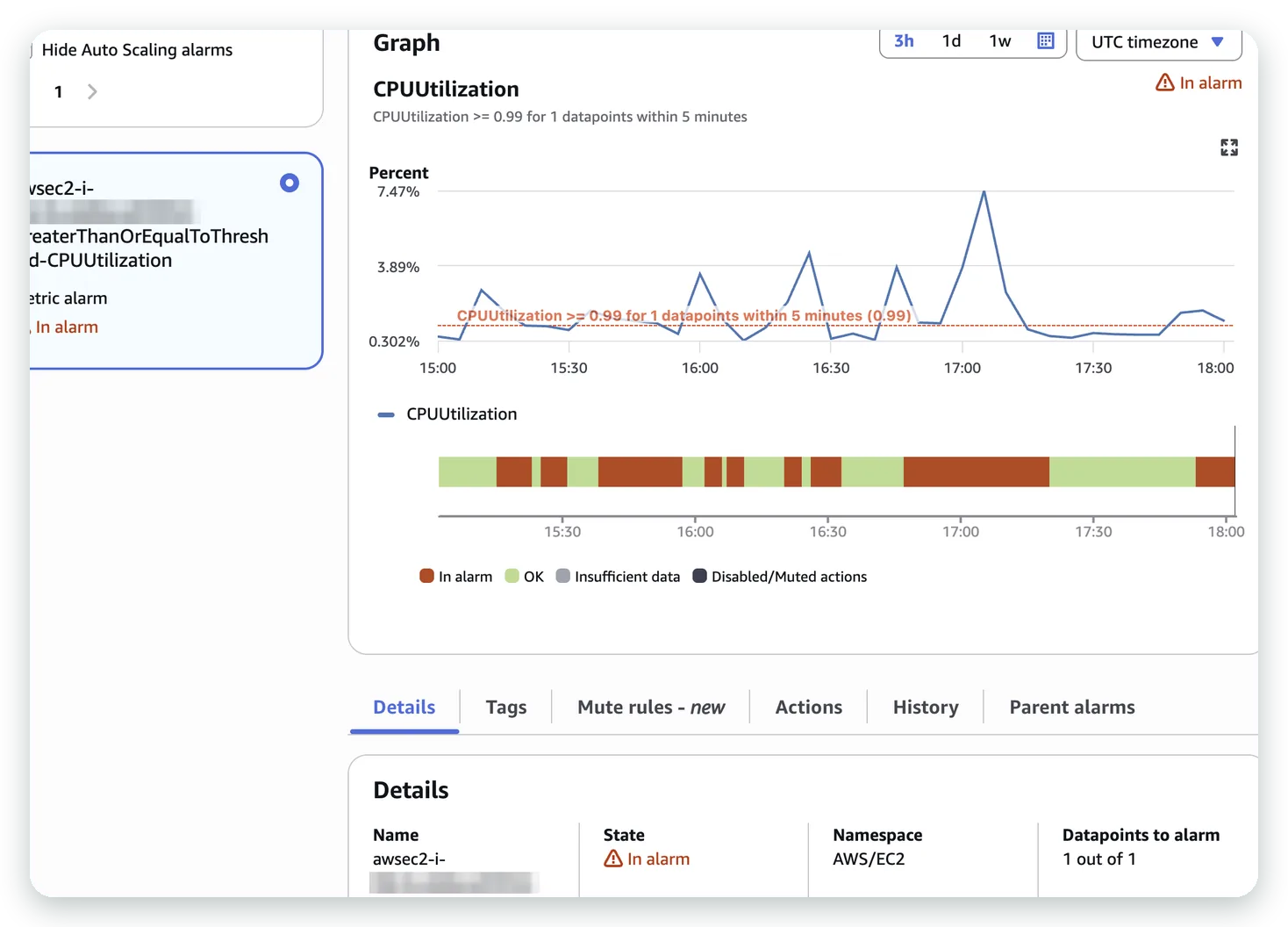
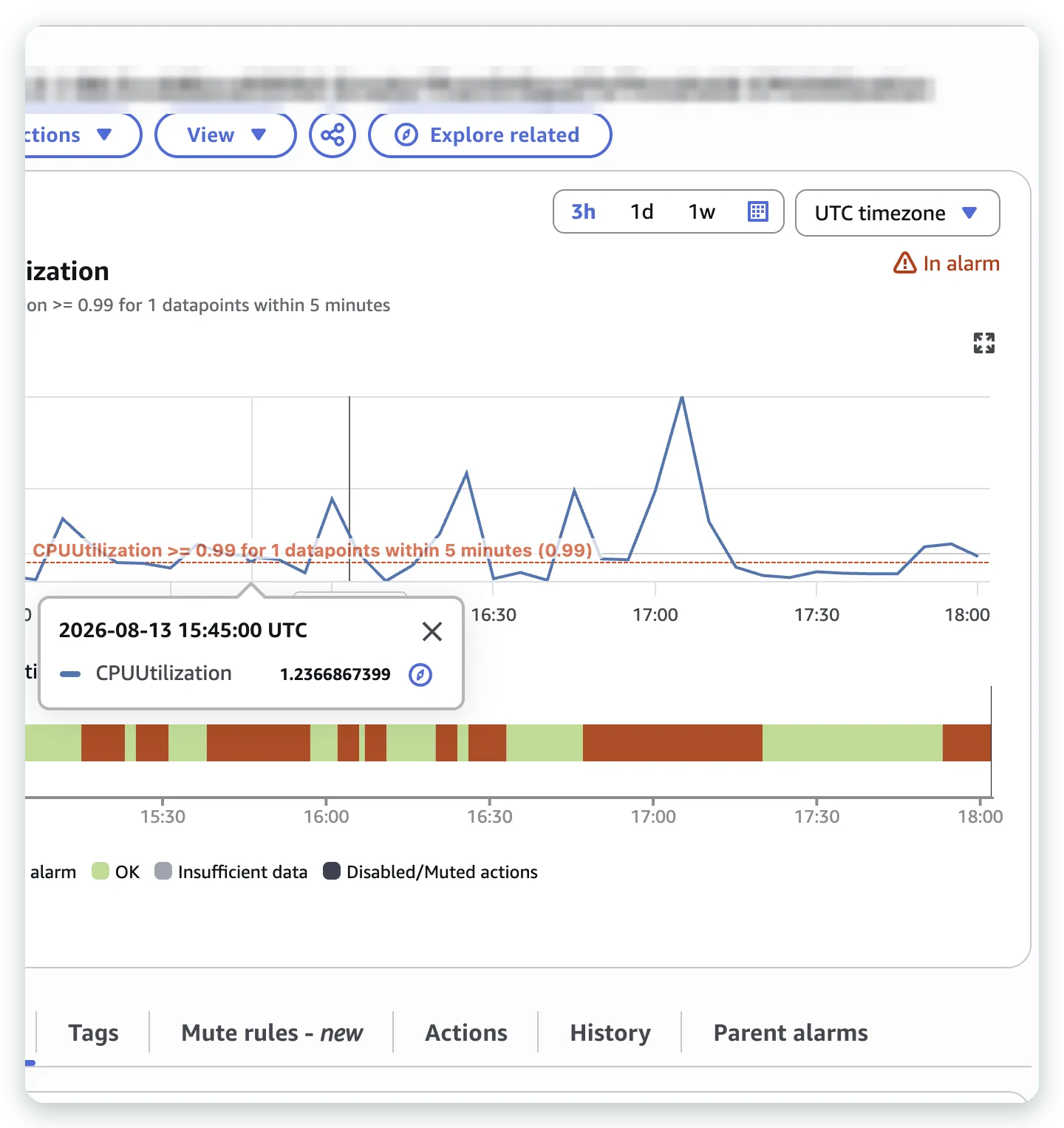
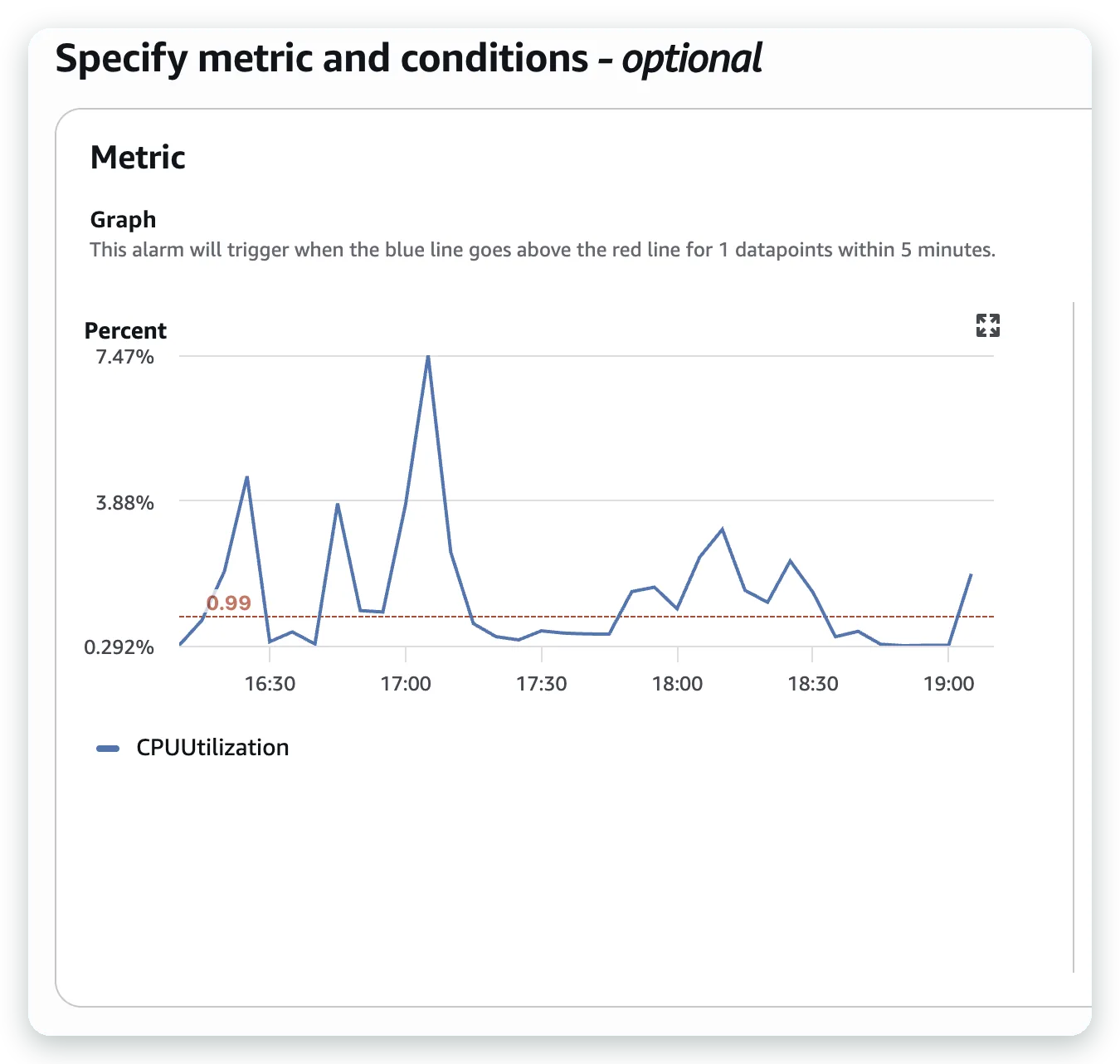
When we took over monitoring of a server, there was already an alert in CloudWatch. It was set to go off when processor usage was 0.99 per cent or more for five minutes. The screenshot shows the result: the alert stayed In alarm almost all the time. Such an alert is worse than none, since everyone eventually stops looking at it. Then you miss the alerts that actually mean something.
The cause was probably a typo, where someone meant 99 per cent but wrote 0.99. It is a common mistake, since you specify the value as a percentage and not as a fraction. Therefore, we changed the limit to a sensible value and added an alert for the credit balance. The latter is the most important for a t3 instance.
The right alerts for a t3 instance
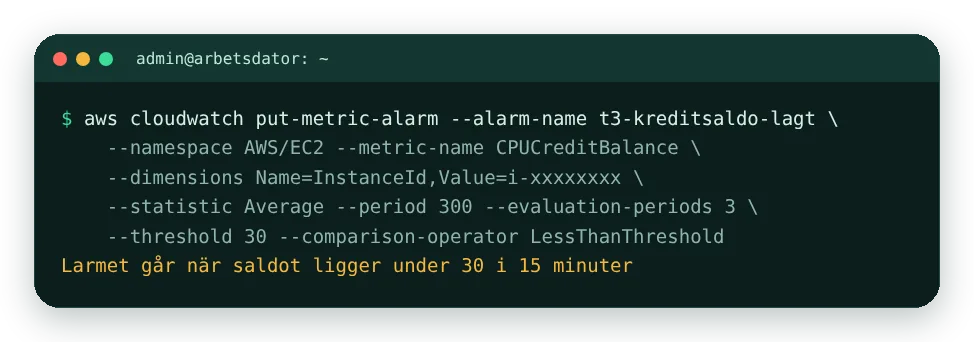
For a t3 instance, we set two alerts. The first concerns processor usage, for example above 80 per cent for fifteen minutes. Such an alert catches real problems, such as a process that has hung or an attack. The second concerns the CPUCreditBalance metric. When the balance falls below a certain level, we receive a warning before the server slows down. As a result, we have time to act.
In addition, we add alerts for memory and disk via the CloudWatch agent, since AWS does not measure them from the start. All alerts go to email or text message via SNS. We test every alert by temporarily lowering the limit, and after that we reset it. In fact, nobody knows whether an alert that has never been tested works. We also document who receives the alerts and what the recipient should do.
Standard, unlimited or a larger instance?
The choice of mode depends on how you use the server. If the load is low with short peaks, standard mode is enough, and it gives the lowest cost. If the peaks are important, for example during a campaign, unlimited can be right. However, you should then follow the cost closely. If the server stays above the baseline almost all the time, a larger instance or another family is often cheaper.
We analyse statistics for the last few weeks before we propose anything. They show both averages and peaks, as well as how the credit balance has moved. Sometimes the analysis shows that a single process uses more than it should. In that case, we fix it instead of buying more power. Feel free to also read about disk space, journald and swap, which also affect how the server is doing.
Contact Linux Service about CPU credits
Linux Service is part of Datorkirurgen AB and operates servers on AWS every day. We set up alerts that mean something, analyse CPU credits and choose the right instance for your load. AWS describes the model in its documentation on burstable instances.
Therefore, contact us if your server becomes slow at certain times or if the alerts go off all the time. We carry out a review and propose actions. We work remotely. Moreover, we can take over the monitoring completely.
Frequently asked questions about CPU credits
Questions about CPU credits
- What is a burstable instance?
- How does the server earn credits?
- What happens when the credits run out?
- How do you see the credit balance?
- What is the difference between standard and unlimited?
- Does unlimited cost extra?
- What baseline does a t3.small have?
- Does this also apply to t4g instances?
- Why does SSH become sluggish when the credits run out?
- Can you change mode without a restart?
CPU credits and alerts in CloudWatch
- Why did our alert go off all the time?
- What is a sensible limit for a processor alert?
- How do you create an alert for CPUCreditBalance?
- Why does AWS not measure memory and disk from the start?
- What is the CloudWatch agent?
- How do you send alerts by text message?
- Can you test that an alert works?
- How long does CloudWatch keep statistics?
- Can you see the alarm history?
- How many alerts does a server need?
More about choosing an instance
- When should we switch to a larger instance?
- Is another instance family cheaper?
- How do you analyse the load over time?
- Can a single process drain the credits?
- Can you set up alerts for us?
- Can you reduce our costs on AWS?
- Do you work remotely?
- What does a review cost?
- Can you take over the monitoring?
- How do I contact you about AWS?