
How it went when we upgraded MariaDB from 10.5 to 10.11 LTS on Amazon Linux: package conflicts, repository errors, Access denied and the solutions.
Why we needed to upgrade MariaDB
WordPress showed a warning in Site Health that the database server was outdated. The server ran MariaDB 10.5, while WordPress recommends 10.6 or later. In addition, 10.5 was approaching the end of its support. Therefore, we decided to upgrade MariaDB to 10.11, which is a long-term version with support for several years. The server ran Amazon Linux 2023 with six WordPress sites, so there was a lot to lose.
Amazon Linux 2023 only has version 10.5 in its own repositories. Therefore, we needed to add MariaDB’s official repository. The upgrade is well documented, but during the work several faults appeared. The screenshots show them in the order they appeared. We share them, since the same faults affect many people who do the same thing.
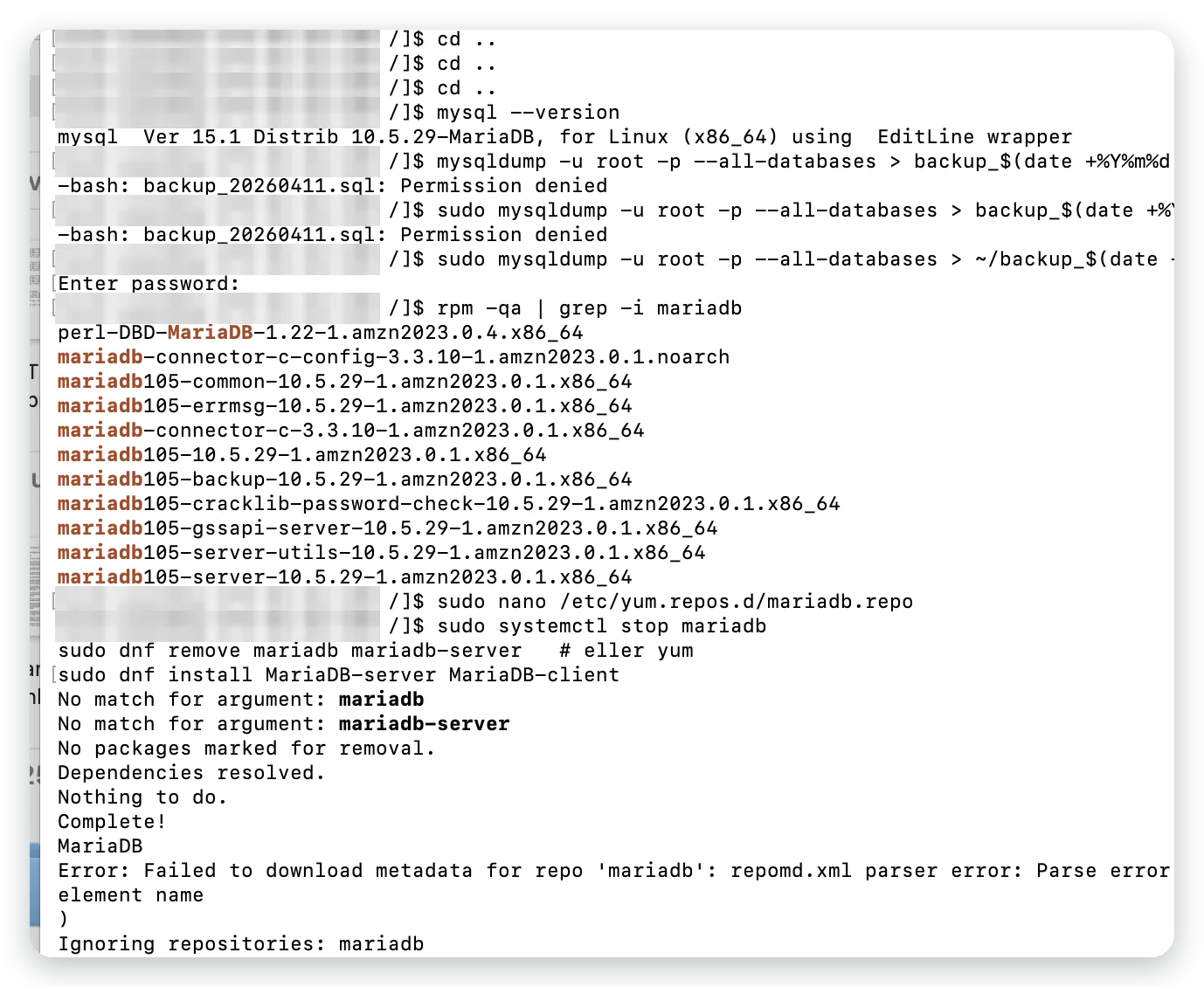
Fault 1: the backup got Permission denied
The first step was a full backup of all databases. But the command failed immediately with Permission denied. The cause was clear: we stood in the root directory, where ordinary users may not write. In fact, the redirection to the file happens before sudo applies, and therefore it does not help to put sudo in front. The solution was to write the file to the home directory instead.
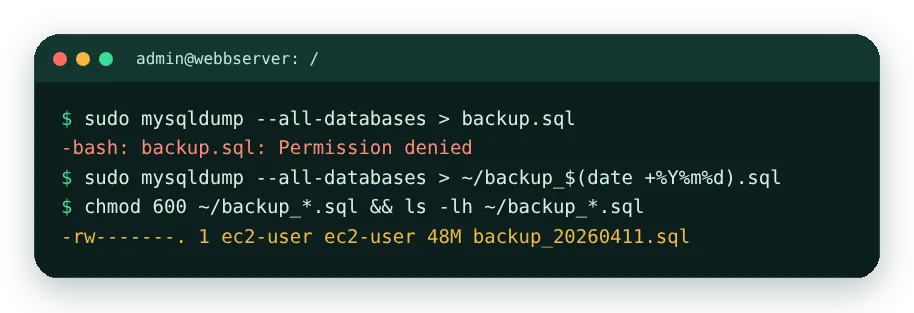
After that, we checked that the file really contained all databases and that it was readable. In fact, a backup that nobody has checked is an assumption. In addition, we gave the file strict permissions, since it contains all user details. Only when that was done did we continue with the upgrade itself.
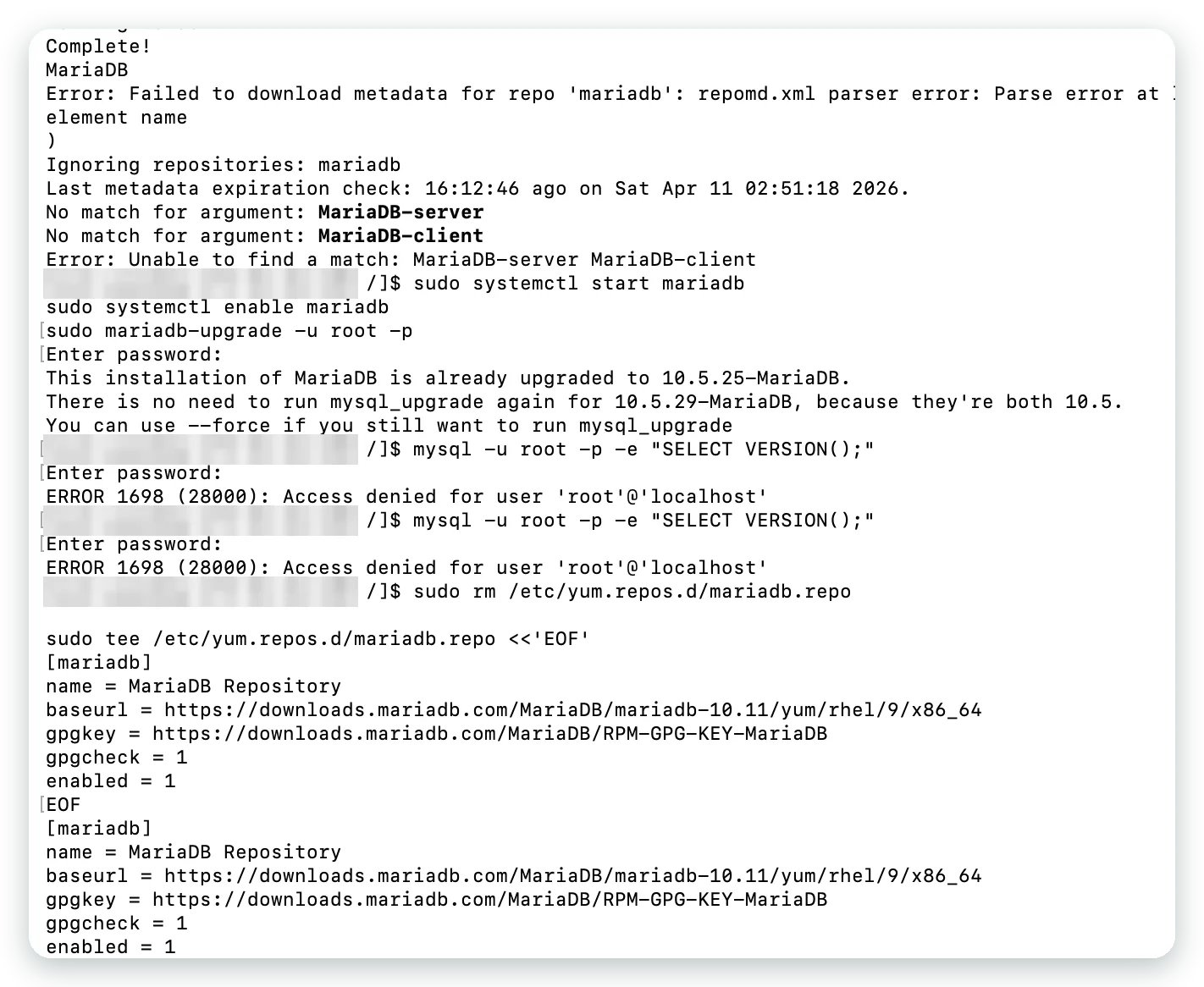
Fault 2: the repository could not be read
The next fault appeared when we created the file for MariaDB’s repository. The package manager responded with a parsing error in repomd.xml. The cause was that the address in the file pointed to the wrong directory. Amazon Linux 2023 is not Red Hat, and therefore the version number variable does not work in the same way. The solution was to give the directory for RHEL 9 directly in the address.
At the same time, we saw another problem. When we tried to sign in as root to the database, we got Access denied. However, it was not a bug. In fact, root in MariaDB signs in via the operating system account, and therefore sudo mysql works but a password does not. We adjusted the commands and moved on.
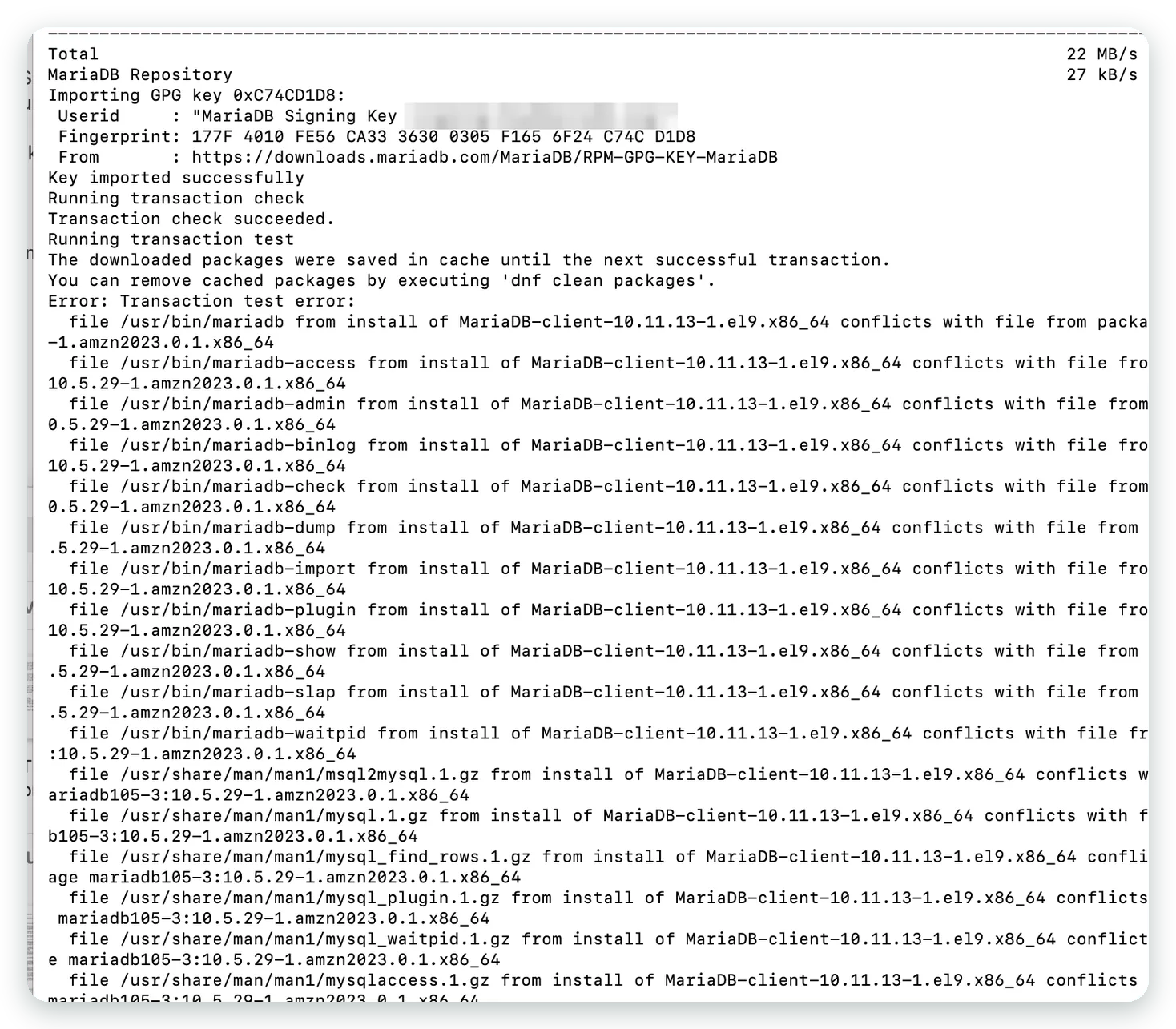
Fault 3: package conflicts when we upgrade MariaDB
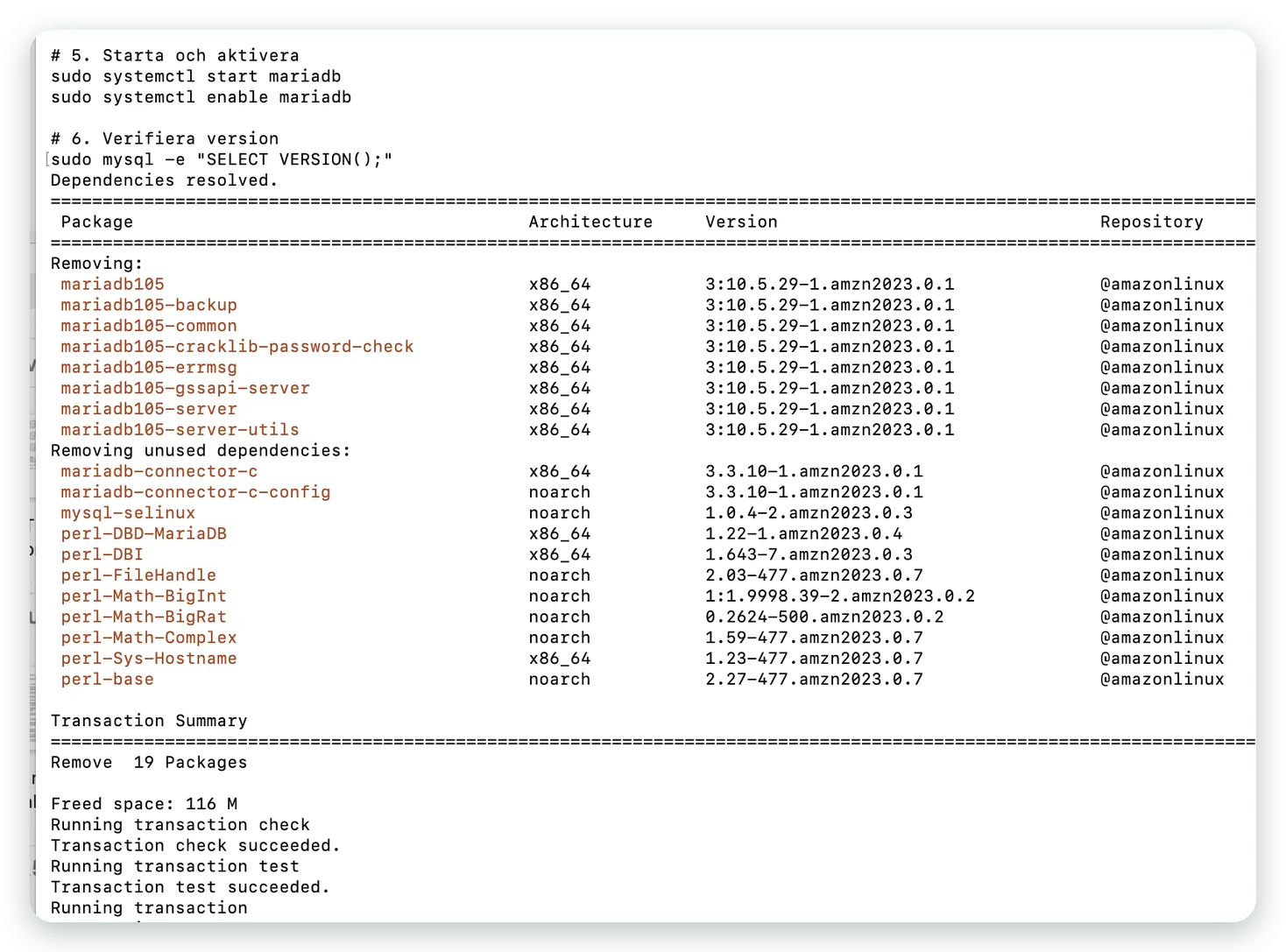
When the repository worked, we tried to install the new version. Then a long list of file conflicts appeared. Both the old packages for 10.5 and the new ones for 10.11 wanted to own the same files. The package manager therefore refused to continue, which is basically good. It protects the system from ending up in a half-finished state.
The solution was to first stop the database and remove the old packages. Here it is important to understand that the data files remain, since they do not belong to the packages. Even so, we checked that the data directory was untouched before we moved on. After that, we installed the new packages without conflicts. We also checked that the service was set to start automatically, since the new packages use a different service name from the old ones.
Finally: mariadb-upgrade and verification
When the new packages were in place, we started the database and ran mariadb-upgrade. The command updates the system tables to the new version. After that, we checked the version and that all six databases remained. In addition, we opened each website and signed in to WordPress. The warning in Site Health was gone, and everything worked as before.
The lesson is that the groundwork decides the result. With a backup, the right repository and calm troubleshooting, the upgrade succeeded despite the faults along the way. Since then, we have used the same routine on more servers, and it has worked every time. Read more about ongoing operation in the article on MariaDB on Linux.
Contact Linux Service when you want to upgrade MariaDB
Linux Service is part of Datorkirurgen AB and upgrades databases for businesses across Sweden. We take backups, test and carry out the upgrade with as short an interruption as possible. MariaDB describes upgrades in its documentation.
Therefore, contact us before you upgrade, or if an upgrade has gone wrong. We take over remotely and make sure that your data is safe. Moreover, you receive a short report of what we did.
Frequently asked questions about upgrading MariaDB
Questions about upgrading MariaDB
- Why does WordPress warn about an outdated database server?
- Which version does WordPress recommend?
- Why does Amazon Linux only have version 10.5?
- What is a long-term version of MariaDB?
- Can you jump directly from 10.5 to 10.11?
- How long does the upgrade take?
- Will the websites be down during the upgrade?
- Should you take a backup?
- Why did the backup get Permission denied?
- How do you check that the backup is complete?
Upgrading MariaDB: faults and solutions
- What does a parsing error in repomd.xml mean?
- How do you write the right repository for Amazon Linux?
- Why does root get Access denied?
- Why does sudo mysql work but not a password?
- What do file conflicts between packages mean?
- Do the data files remain when you remove the packages?
- What does mariadb-upgrade do?
- How do you check the version afterwards?
- What do you test in WordPress after the upgrade?
- Can you go back if something goes wrong?
More about databases and support
- Can you upgrade our database for us?
- Do you do it in the evenings?
- Do you also help with MySQL?
- Can you move the database to a new server?
- Can you optimise the database after the upgrade?
- Do you work remotely?
- What does an upgrade cost?
- Can you help if the upgrade has already failed?
- Do we receive a report afterwards?
- How do I contact you about MariaDB?